PAGE 16
PAD SETTINGS
SELECTING PAD CURVE
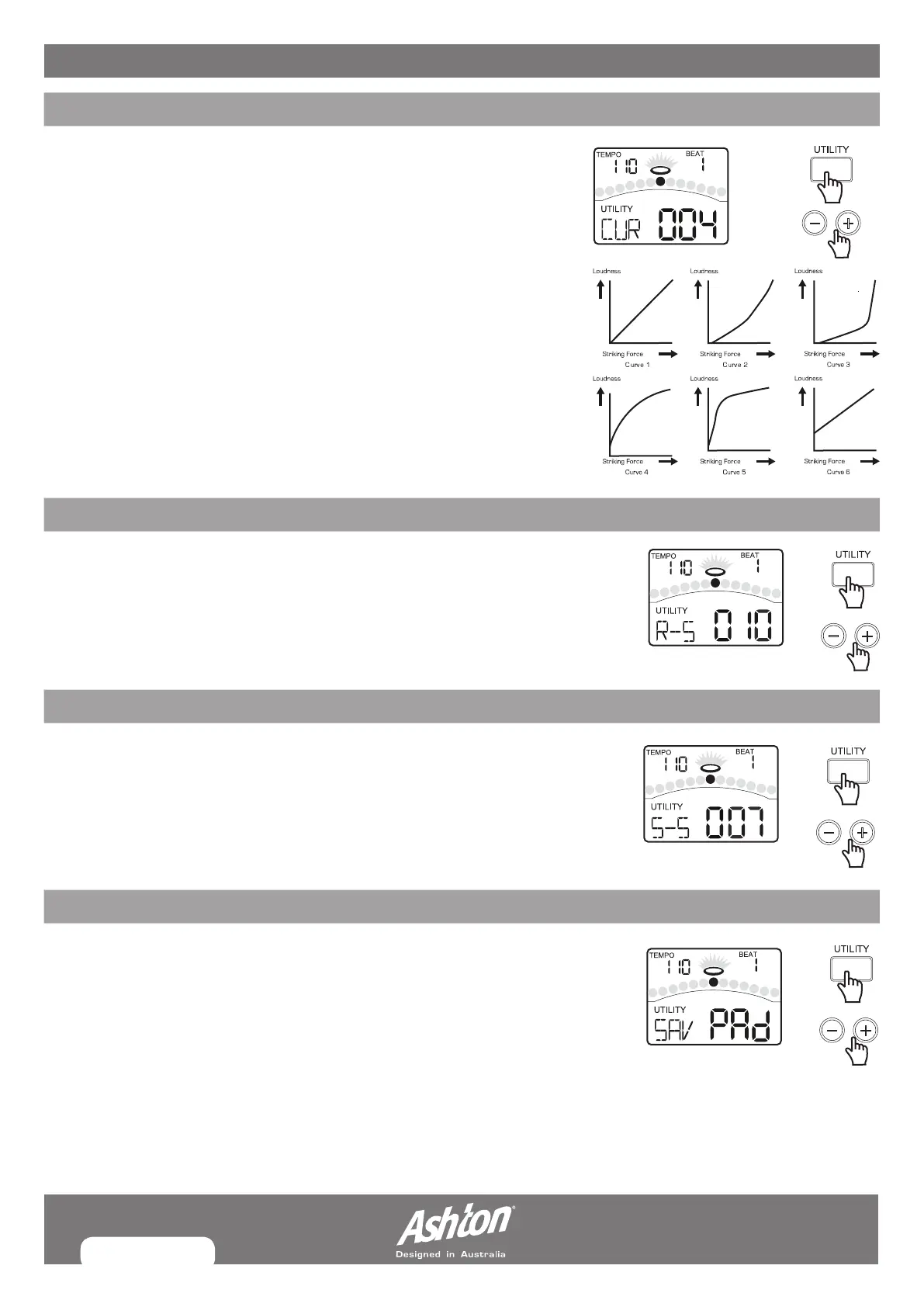
Press the [PAGE] or [UTILITY] button, select Pad Curve page. The display will show:
Curve refers to how the trigger signal’s dynamic response relates to your pad hit.
CURVE 1: The standard setting, this produces the most natural
correspondence between playing dynamics and volume change.
CURVE 2,3: Compared to Curve1, strong dynamics produce a greater change.
CURVE 4,5: Compared to Curve1, a soft playing produces a greater change.
CURVE 6: Very little dynamic response, making it easy to maintain strong
volume levels. If using drum triggers, these settings help maintain
stable levels.
SETTING RIM SENSITIVITY ON PADS
Press the [PAGE] or [UTILITY] button, select Pad Rim Sensitivity page.
The display will show:
Same as the basic sensitivity feature, except that it relates specifically to playing
the rim.
HI-HAT SPLASH SENSITIVITY
Press the [PAGE] or [UTILITY] button, select Pedal Splash Sensitivity page.
The display will show:
This Setting control the sensitivity of the foot splash.
SAVING PAD SETTINGS
After adjusting the trigger settings (sensitivity, threshold, crosstalk, curve, rim
sensitivity, splash sensitivity), you can save them into memory. In UTILITY menu,
press the [SAVE] button to store all pad settings.
NOTE:
If you turn off the power without saving, you will lose the trigger setting changes
you have just made. These parameters affect all kits.


 To Next Page