PAGE 19
SONG
SONG
TEMPO
BEAT
SONG
SONG
TEMPO
BEAT
PLAYING BACK A SONG
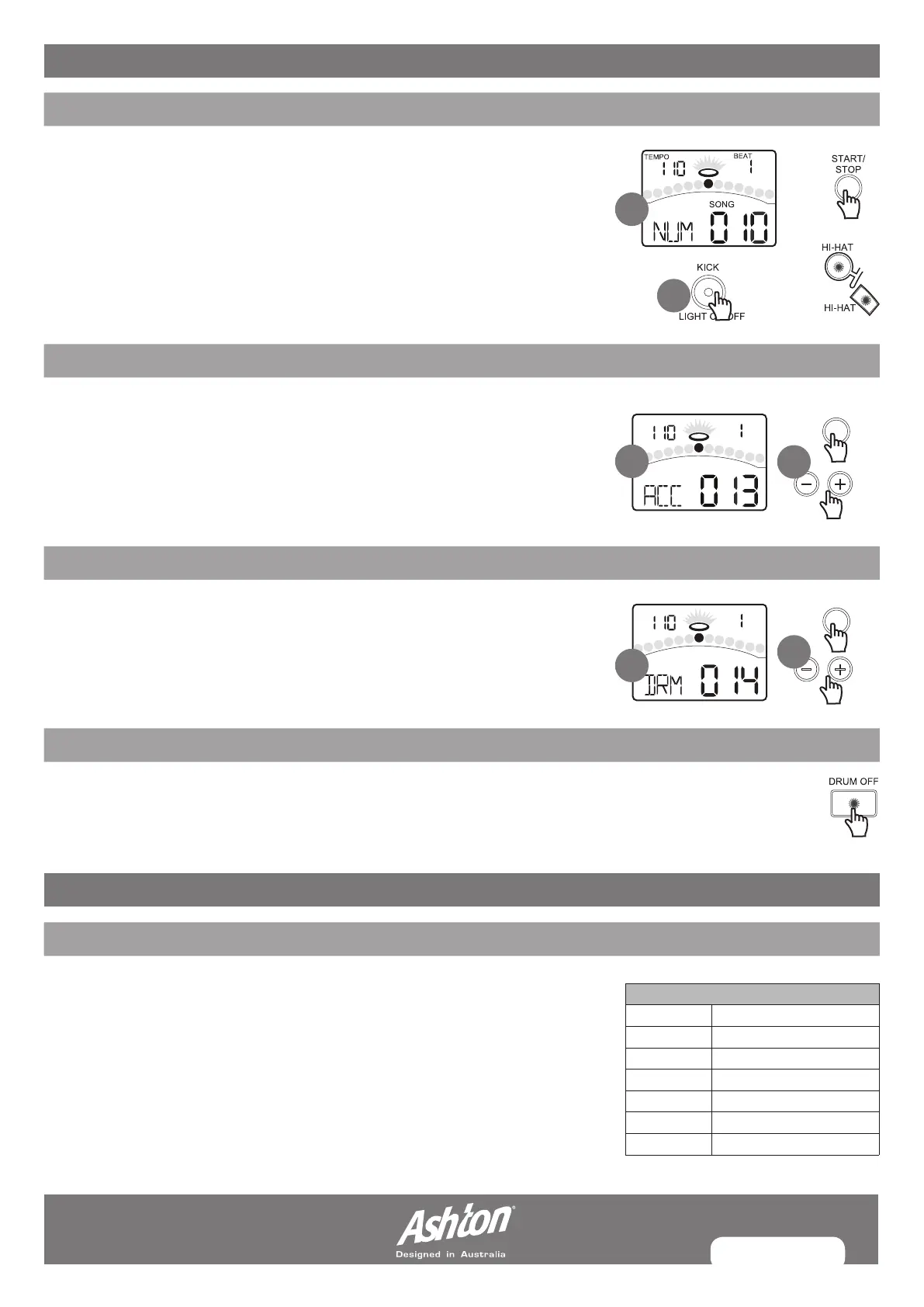
1. Press the [START/STOP] button to start song playback. The LCD will display the
current playing beat. Press the [START/STOP] button again, stop the song during
playback. During song playback in SONG menu, the PAD indicators will show
which pads of the drum track is triggering.
2. This function can be disabled or enabled by pressing the [KICK] button while in
SONG menu.
ADJUSTING DRUM VOLUME
1. Press the [PAGE] or [SONG] button, select Song Drum volume page.
The display will show:
2. Use the [–] or [+] to adjust it. It will be restore to default value on the next power on.
MUTING DRUMS IN SONGS
Press the [DRUM OFF] button to enable and disenable the drum mute function.
When DRUM OFF is enabled, the LED will turn on.
ADJUSTING ACCOMPANIMENT VOLUME
1. Press the [PAGE] or [SONG] button, select Song Accompaniment volume page.
The display will show:
2. Use the [–] or [+] to adjust it. It will be restored to default value on the next power on.
SONG PLAYBACK
RECORDING A SONG
ABOUT RECORDING
In NORMAL mode, the digital drum allows you to quickly record your performance
as you play the pads. There are two ways to start recording a new song:
• Press the [START/STOP] button
• Hit any pad
On Recording Standby, you can use the [–] or [+] button to adjust the parameters
(as shown to the right).
Record Settings
---/1-60
---/ON/OFF
ON/OFF
1-9/2, 1-9/4, 1-9/8, 1-9/16
1-2, 3-8, 1-4, 1-8, 1-12, 1-16
1-40
30-280
Signature
Tempo
Kit
Pre Count
Drum Off
Interval
Song Number
1
1
1
2
2
2


 To Next Page