PAGE 20
RECORDING A SONG
RECORDING STANDBY
Use the [PAGE] button to scroll through the various record parameters and
the [–] or [+] button to adjust the value.
Page 1: Setting the song accompanied or not
Page 2: Selecting the drum kit that you want to record.
Page 3: Setting the recording tempo
Page 4: Setting the time signature
Page 5: Setting the interval
Page 6: Setting the drums in songs muted or not
Page 7: Setting a measure count-in inserted or not before recording.
PLAYING BACK RECORDED PERFORMANCE
1. Press the [PLAY] button. Play back your recording. Thedisplay will show:
2. Press the [PLAY] button again. Stop playing back your performance.
RECORDING ACCOMPANIED PERFORMANCES
If you want to record your performance accompanied with a song, first set the
parameters (Song Number and Drum off) before start to record.
The display will be as shown to the right:
For details on setting, refer to Recording Standby. Recording operations are as
mentioned above.
RECORDING PAD PERFORMANCES
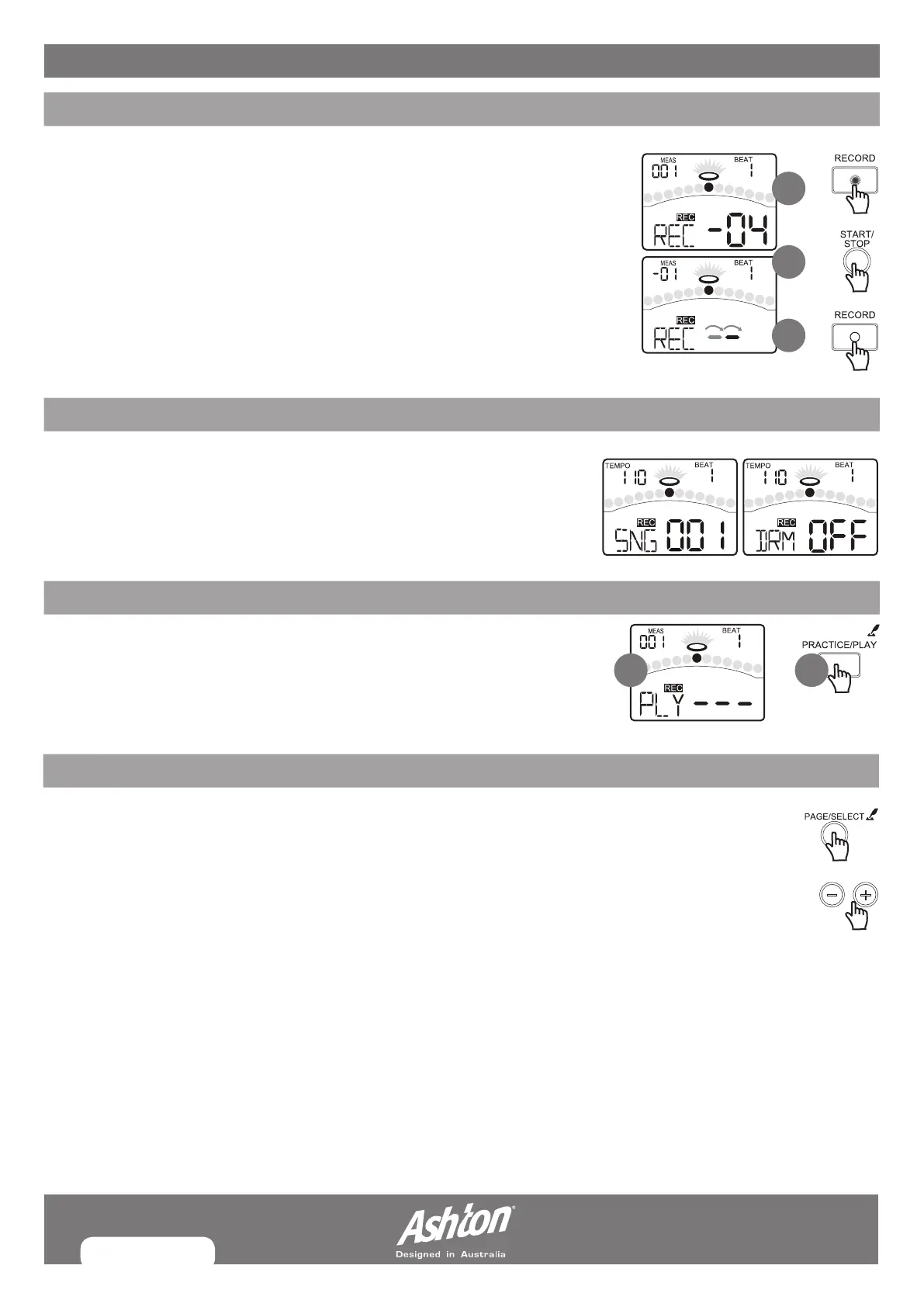
1. Press the [RECORD] button, enter recording standby. The [RECORD] led will flash.
2. Press the [START/STOP] button or strike the pad. Recording will start. The RECORD
led will turn on. After Count-in, the display will show:
Now you will record your performance.
3. Press the [START/STOP] button again, or press the [RECORD] button. Stop recording,
the [RECORD] led will turn off.
1
2
3
1 2


 To Next Page