Page16/71
Attaching the Cable TV Wire to the Wireless Voice Gateway
1. Locate the Cable TV wire. You may find it one of three ways:
a. Connected directly to a TV, a Cable TV converter box, or VCR. The line will be
connected to the jack, which should be labeled either IN, CABLE IN, CATV, CATV IN,
etc.
b. Connected to a wall-mounted cable outlet.
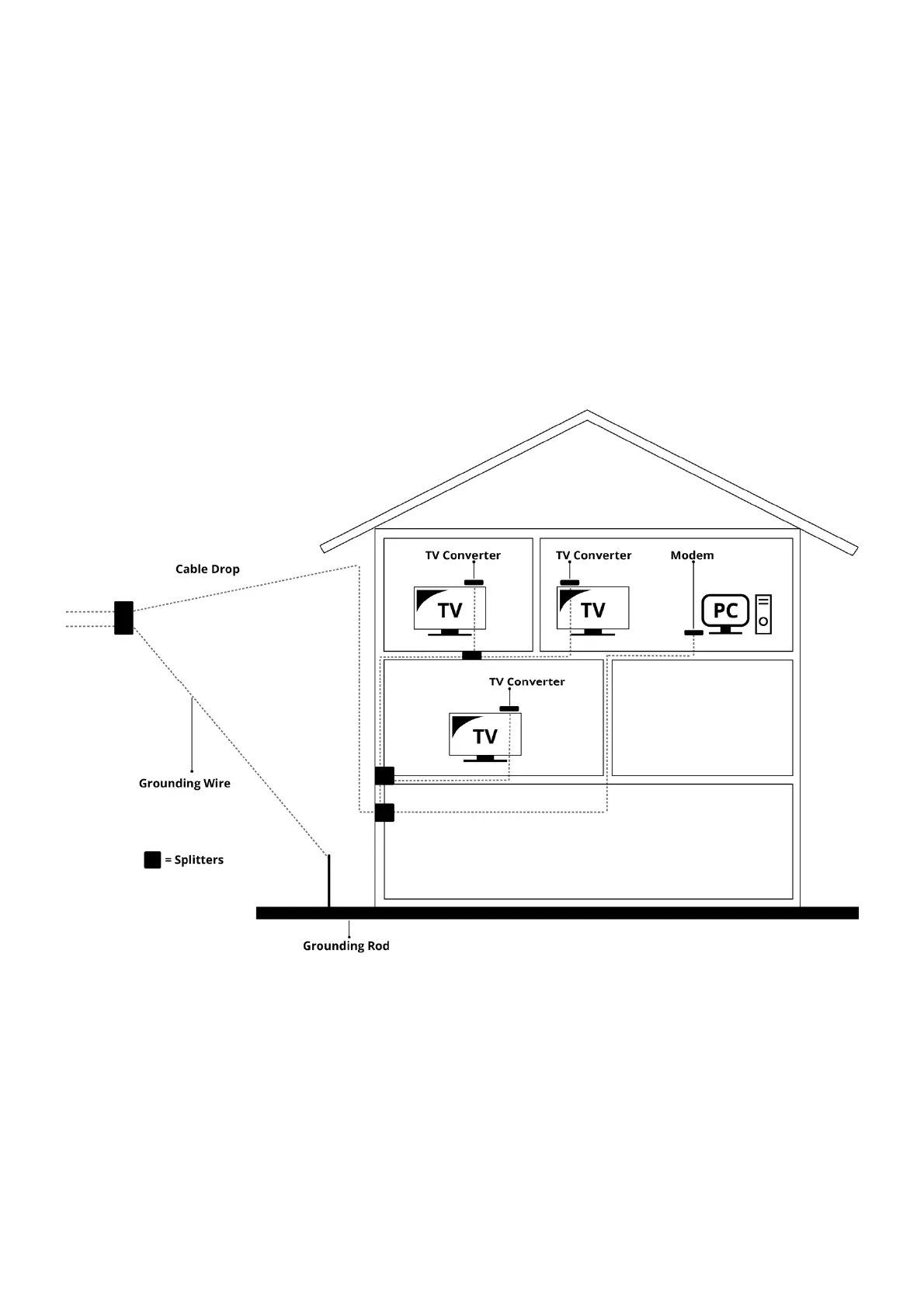
c. Coming out from under a baseboard heater or other location. See Figure 1-6 for the
wiring example.
Notes: For optimum performance, be sure to connect your Wireless Voice Gateway to the first point
the cable enters your home. The splitter must be rated for at least 1GHz.
Fig. 1-6 Basic Home Wiring


 To Next Page