Page51/71
Dynamic DNS
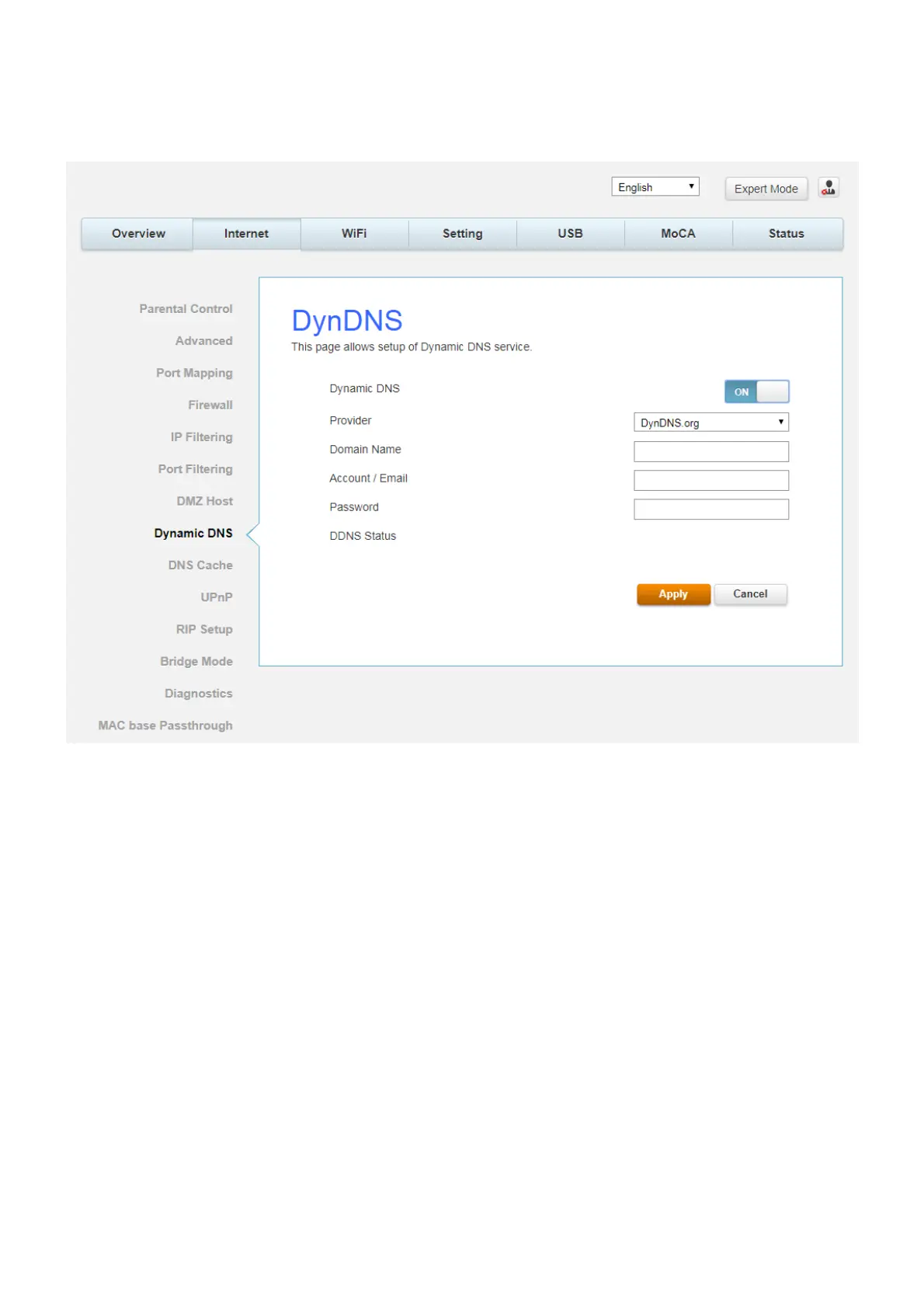
This page allows to setup for Dynamic DNS server.
Fig.2-33 Internet\Dynamic DNS
z Dynamic DNS- Turn “ON” to enable the dynamic DNS function.
z Provider- Choose Provider to enable the basic setting.
z Domain Name- The domain name that you registered with your DDNS provider.
z Account / Email- The account that is registered with your DDNS provider.
z Password- The password that you registered with your DDNS provider
Click Apply to save the changes.


 To Next Page