Page44/71
Accessing the Web Configuration (For admin account only)
Once your host PC is properly configured; please proceed as follows:
1. Start your web browser and type the private IP address of the Wireless Gateway
on the URL field: 192.168.100.1
2. After connecting to the device, you will be prompted to enter username and
password. By default, the username is "admin" and password is "admin".
This section that introduces the admin account addition pages, and the same as
the basic mode pages refer to page 20 ~ 45, please.
Internet Web Page Group
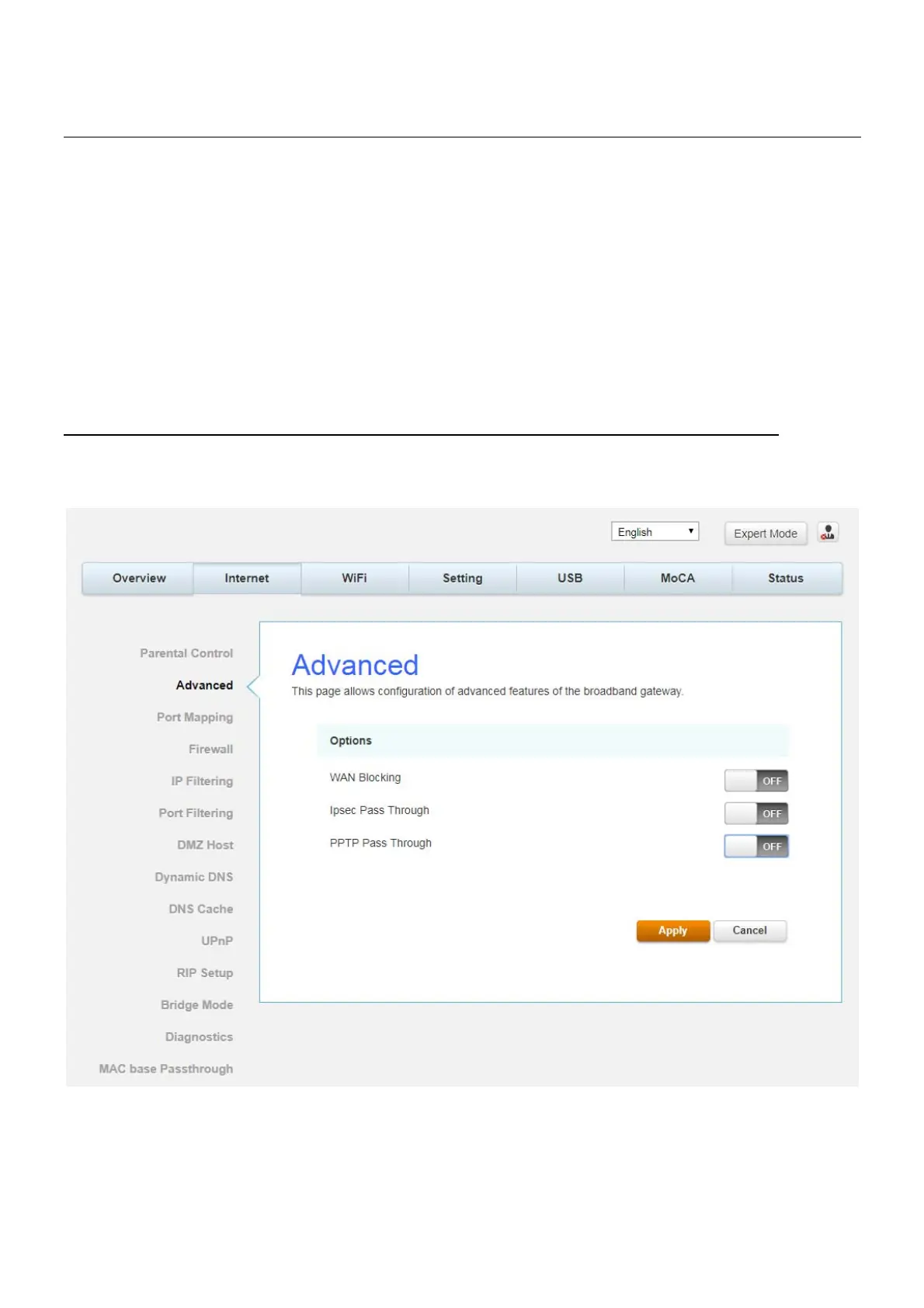
Advanced
This page allows you to configuration of advanced features of the broadband Gateway.
Fig.2-27 Internet\Advanced


 To Next Page