Page9/71
CHAPTER 1: CONNECTIONS AND SETUP
Cable Modem Overview
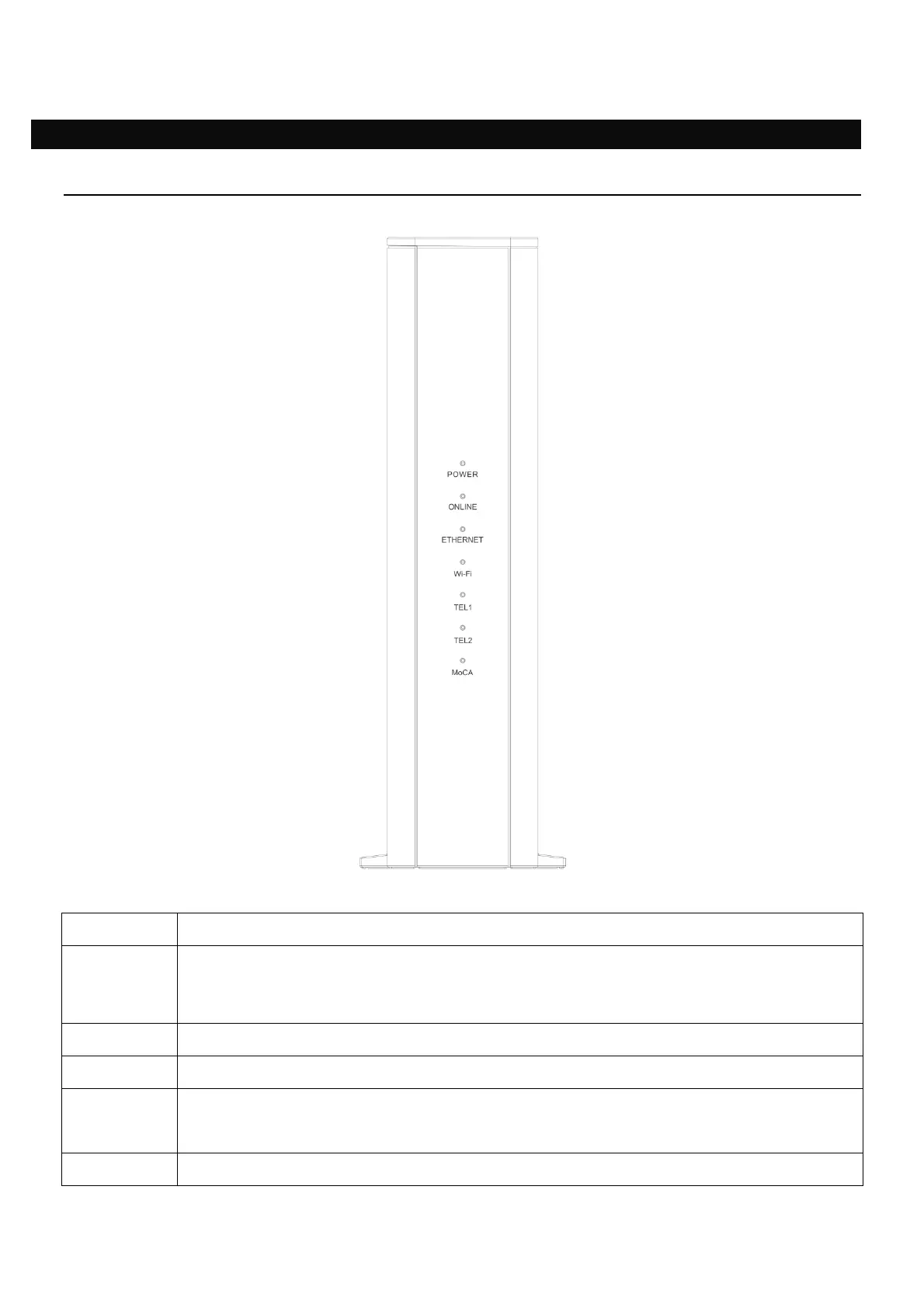
Front Panel
Fig. 1-1 Front Panel
POWER Indicates the power status.
ONLINE
Displays the status of your cable connection. The light is off when no cable
connection is detected and fully lit when the modem has established a
connection with the network and data can be transferred.
ETHERNET Indicates the state of Ethernet ports.
Wi-Fi Indicates the traffic on the wireless network.
TEL
1 / 2
Indicates the status of the telephone ports.
MoCA Indicates the status of the MoCA functionality.


 To Next Page