Service manual DW90
28
Service menu
Menu step/Turn/Push LCD Comments/instructions
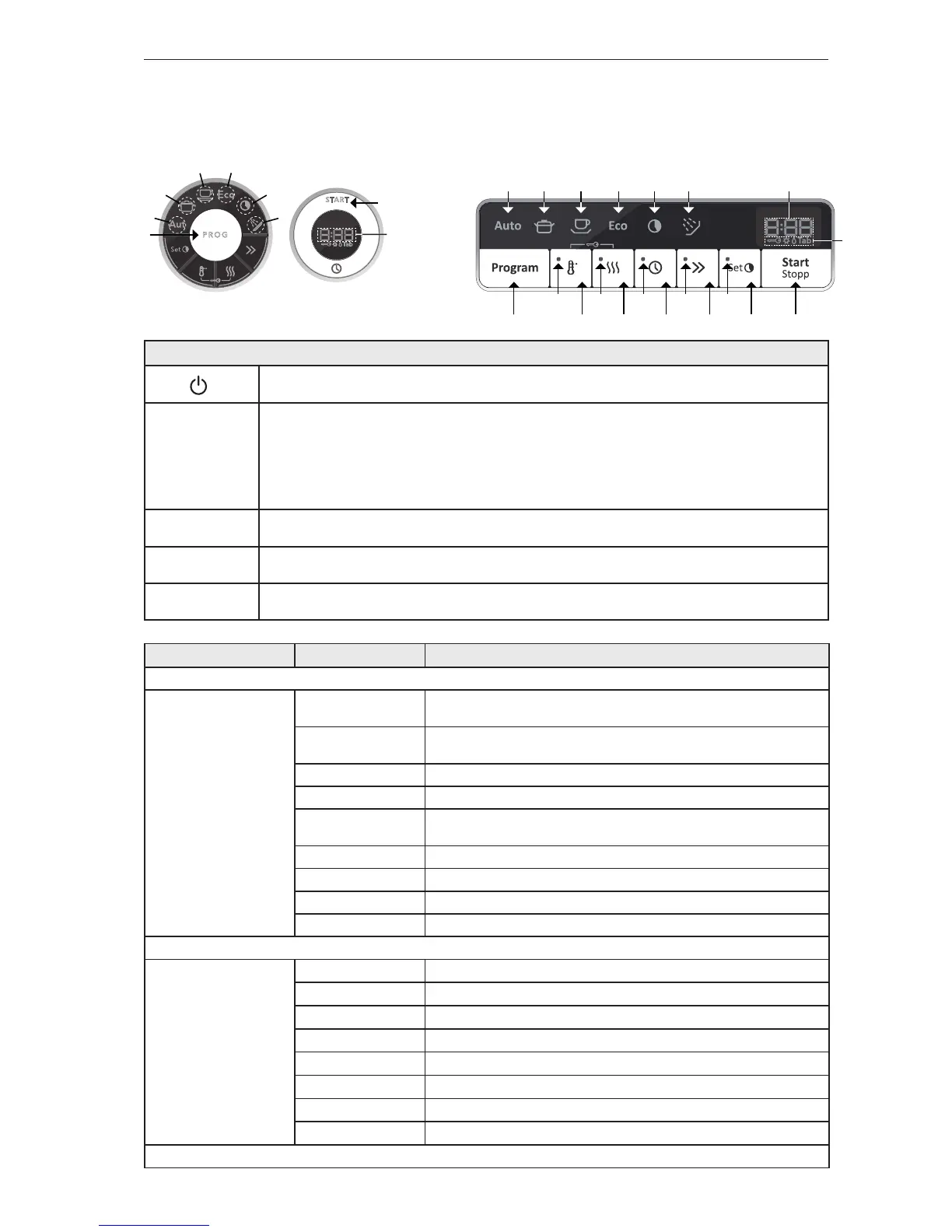
START
Diagnostics
PROG
d:01 Mixer valve and inlet valve on (1 second delay between mixer
valve, if available, and inlet valve)
d:02
Inlet valve and mixer valve, if available, off for 1 second then inlet
valve on
d:03
Salt valve on (if available)
d:04
Combi dispenser on
d:05 Circulation pump on and the spray arm diverter (if available) shall
alternate between positions 1 and 3 every 30 seconds
d:06
Circulation pump and heater on - max. 75°C (167°F)
d:07
Fan and Wax motor
d:08
Drain pump on
d:00
No components on
START
Water intake
PROG
P: 0
Normal water intake, default setting
P: 5
Water intake increases by +5%
P:10
Water intake increases by +10%
P:15
Water intake increases by +15%
L: 0
Time, flow meter switched off, intake time: pulse value x 0.068 [s]
L: 5
Time-controlled water intake increases by +5%
L:10
Time-controlled water intake increases by +10%
L:15
Time-controlled water intake increases by +15%
START
Opening the service menu
Check that the machine is switched on. Otherwise switch on the main power switch (1/0).
Wait until the LCD display lights up before next step.
PROG + START
Within 5 seconds, press (T1) and then press (T2), and keep them pressed for 5 seconds. (L1),
(L3) and (L6) indicates that the service menu is activated. When the service menu is opened
the most recent of the error messages (D1), (I5), (D2) and (D3) is shown. In order to keep
the last error message in the display, release (T2) first, otherwise the next step in the service
menu is activated. All error messages are erased by a total reset. The service menu is closed by
turning off the power to the machine.
START
Press the button (T2) to navigate the menu system step by step.
PROG
Press the button (T1) to scroll between settings. Press (T2) to save the setting and continue to
the next menu step.
START
Press (T2) at the last step of the menu to close the service menu and save the most recent
settings.
DW90.1 - BRAND ASKO
P R O G
START
STOP
T2
T1
L1
L6
L2
L4L3
L5
D1, I5
D2,D3
DW90.1 - BRAND OTHER


 To Next Page