Operating the F100
F100-14-001.2 Page 4-7
ASL 2005
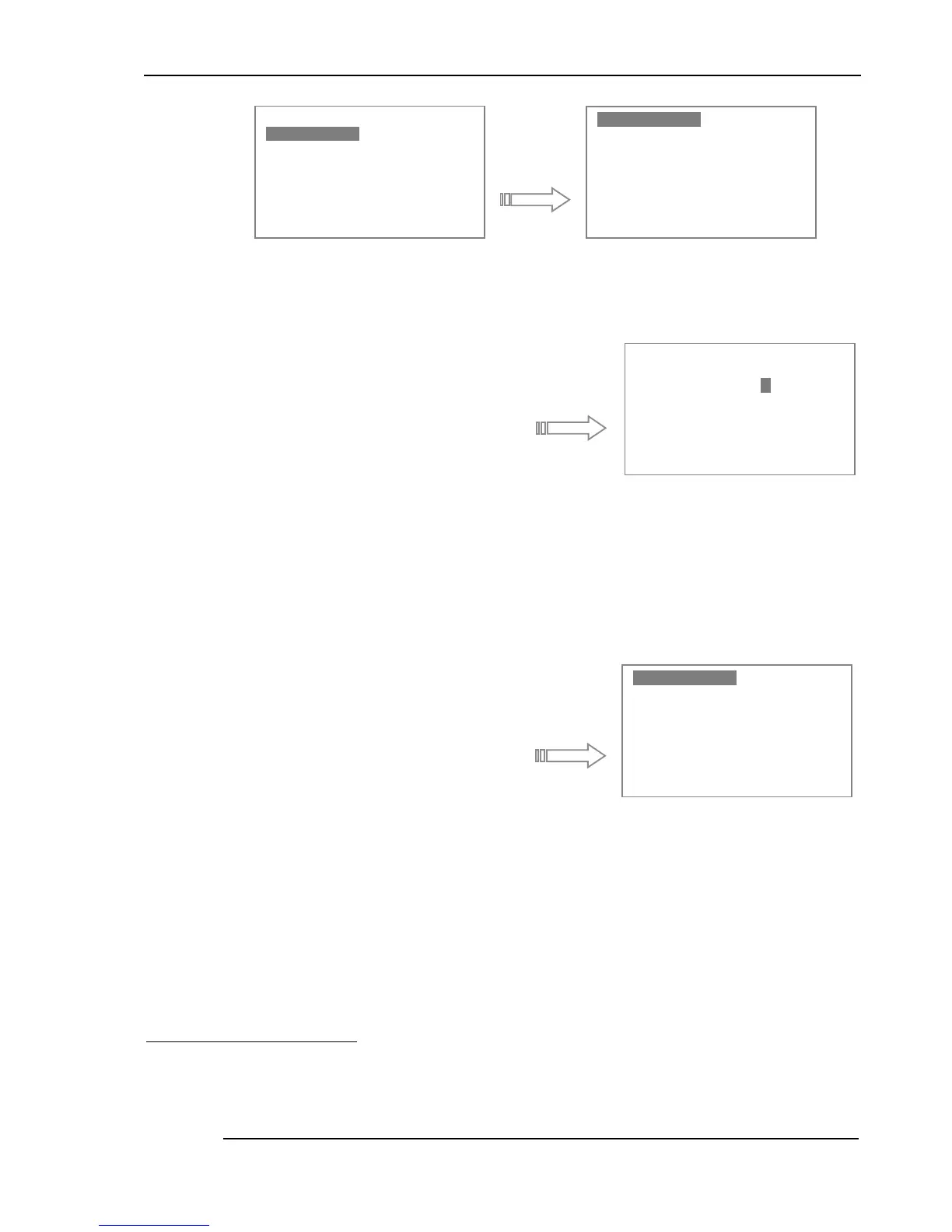
Press the Enter key to select Probe Type. A Passcode screen will appear (see below).
A pass-code must now be entered to proceed
any further (since altering the probe-type or
other pr obe information may lead to the
display of totally incorrect values). Use the
Up/Down arrow keys to increment or
decrement the digit highlighted by the cursor
7
.
Use the Left/Right keys to mover to the next
digit and use the Enter key once the correct pass-code has been set; this procedure helps to prevent
inadvertent changes. Once the code has been entered, it will remain valid until power is turned off
8
.
The pass-code for Passive probe entry is
4300
Once this code has been correctly entered, the following screen will appear.
There are two completely diff erent probe types
that can be used with the F100 - i.e. PRT or
Thermistor. The probe sub-menu is used to
select between these two probe types (this only
applies to passive probes). The curr ently
selected sensor type is always shown at the top
left of the measurement screen (see the
example shown in section 4.1.1).
For example, use the Down key to highlight the thermistor probe. If this probe-type is then selected
(using the Enter key), the thermistor line will be highlighted instead when the menu is entered again.
Selection of PRTs is more involved since the conversion method must also be set at the same time as
the probe-type is changed. The Temp Conv (Temperature Conversion) menu allows the conversion
mode to be set for the currently selected probe.
7
The values will wrap from 9 to 0 and from 0 to 9
8
The valid pass-code will have to be entered once any of the three menu-items is selected for the first time.
8Q LW V
8Q LW V8Q LW V
8Q LW V
&K DQ QHO$
&K DQ QHO$&K DQ QHO$
&K DQ QHO$
&K DQ QHO%
&K DQ QHO%&K DQ QHO%
&K DQ QHO%
/R JJ LQJ
/R JJ LQJ/R JJ LQJ
/R JJ LQJ
6W DW LVWLF V
6W DW LVWLF V6W DW LVWLF V
6W DW LVWLF V
6H WW LQJV
6H WW LQJV6H WW LQJV
6H WW LQJV
6\ VW HP
6\ VW HP6\ VW HP
6\ VW HP
3U RE H7\S H
3U RE H7\S H3U RE H7\S H
3U RE H7\S H
7H PS &RQY
7H PS &RQY7H PS &RQY
7H PS &RQY
&R HI ILFLH QW V
&R HI ILFLH QW V&R HI ILFLH QW V
&R HI ILFLH QW V
3DVVF RG H
3D VV FRGH 3D VV FRGH
3D VV FRGH
/H IW 5W 6H OHF WV
/H IW 5W 6H OHF WV/H IW 5W 6H OHF WV
/H IW 5W 6H OHF WV
8S ' RZQ &
8S ' RZQ &8S ' RZQ &
8S ' RZQ & K DQ JH V
KD QJ HVKD QJ HV
KD QJ HV
(Q WH U
(Q WH U(Q WH U
(Q WH U
2 .
2. 2.
2.
35 7 :LU H
35 7 :LU H35 7 :LU H
35 7 :LU H
17 & 7KHUP LV WR U
17 & 7KHUP LV WR U17 & 7KHUP LV WR U
17 & 7KHUP LV WR U


 To Next Page