1918
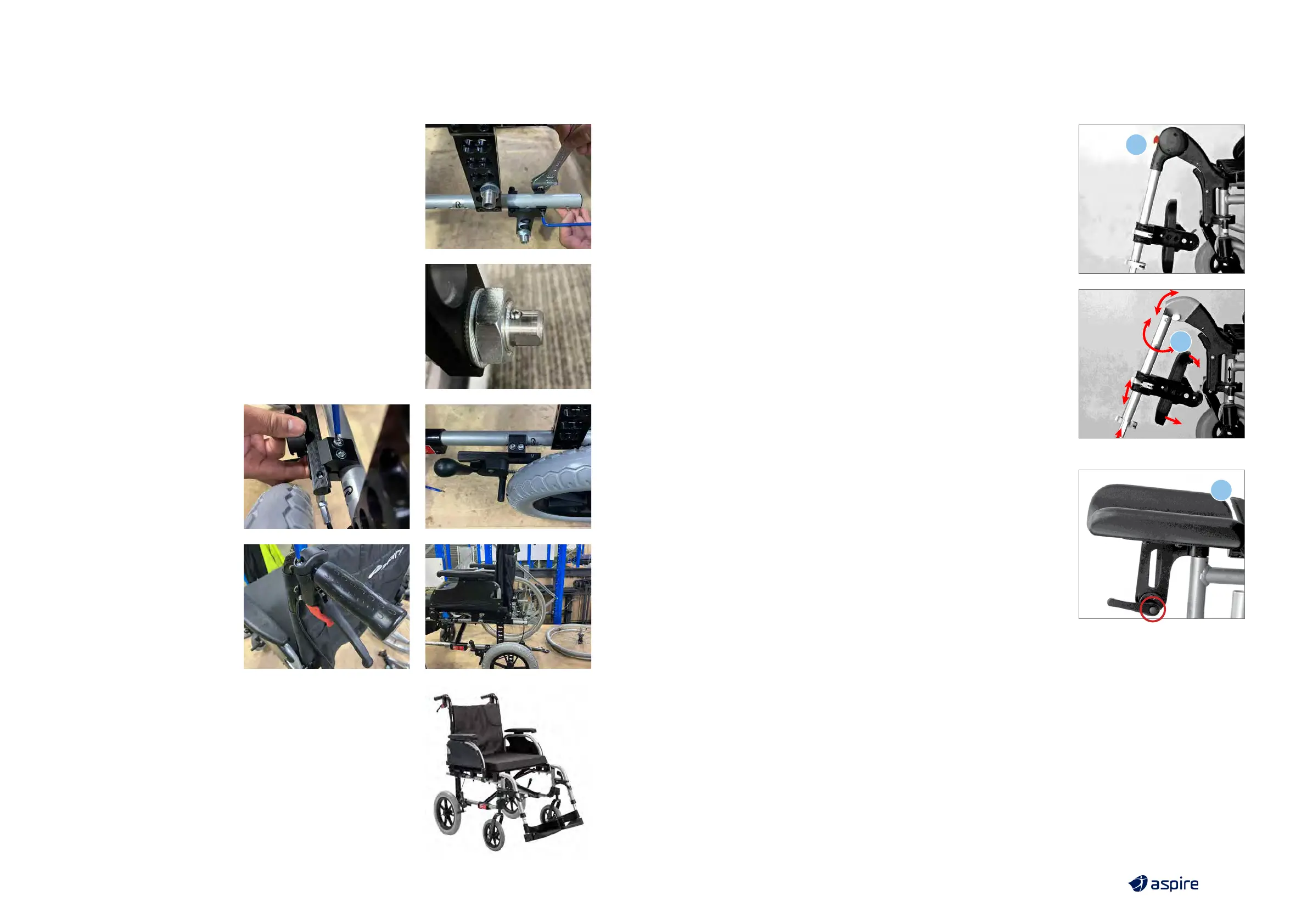
3. Assemble the T-bracket and attach to frame
a. Line the T-bracket up with the holes next to the upright
mounting bracket
b. Screw the T-bracket into place using the 10mm spanner
and 4mm Allen key
4. Attach the 12” wheels
a. Mount the 12” wheel with axle
b. The ball bearing on the end of the axle will lock the wheel
into place
5. Assemble the
attendant brakes
a. Place the brake mount
around the wheelchair
frame in front of the rear
wheels, making sure
that the brake is close
to the wheels, screw the
mount in using the 5mm
Allen key
b. Attach the attendant
brake lever to the
handlebars of the
wheelchair and screw
them using 4mm
Allen key
6. Follow the same instructions for the other side and enjoy your
attendant propelled wheelchair
1
1
2
12.2 ELEVATING LEGRESTS
Elevating legrests allow for a users legs to be reclined for comfort
and pressure care.
• Elevating legrests connect to the wheelchair frame using the
same method as standard legrests
(see page 8, step 3).
• To adjust legrest angle, press and hold the release button (2)
and lift or lower the footplate as required.
12.3 AMPUTEE/STUMP SUPPORT
Stump supports / amputee supports connect easily on to the
legrest receiver to ensure amputee users can sit in comfort
offering a contoured and extended support surface.
1. Insert the Stump Support into the top of the frame
legrest receivers.
2. Adjust the height or angle of the stump support by using
the hand fastening lever.



 To Next Page