M8
17
English
3.1 Installing System Components
3.1.1 Removing the Side Panels
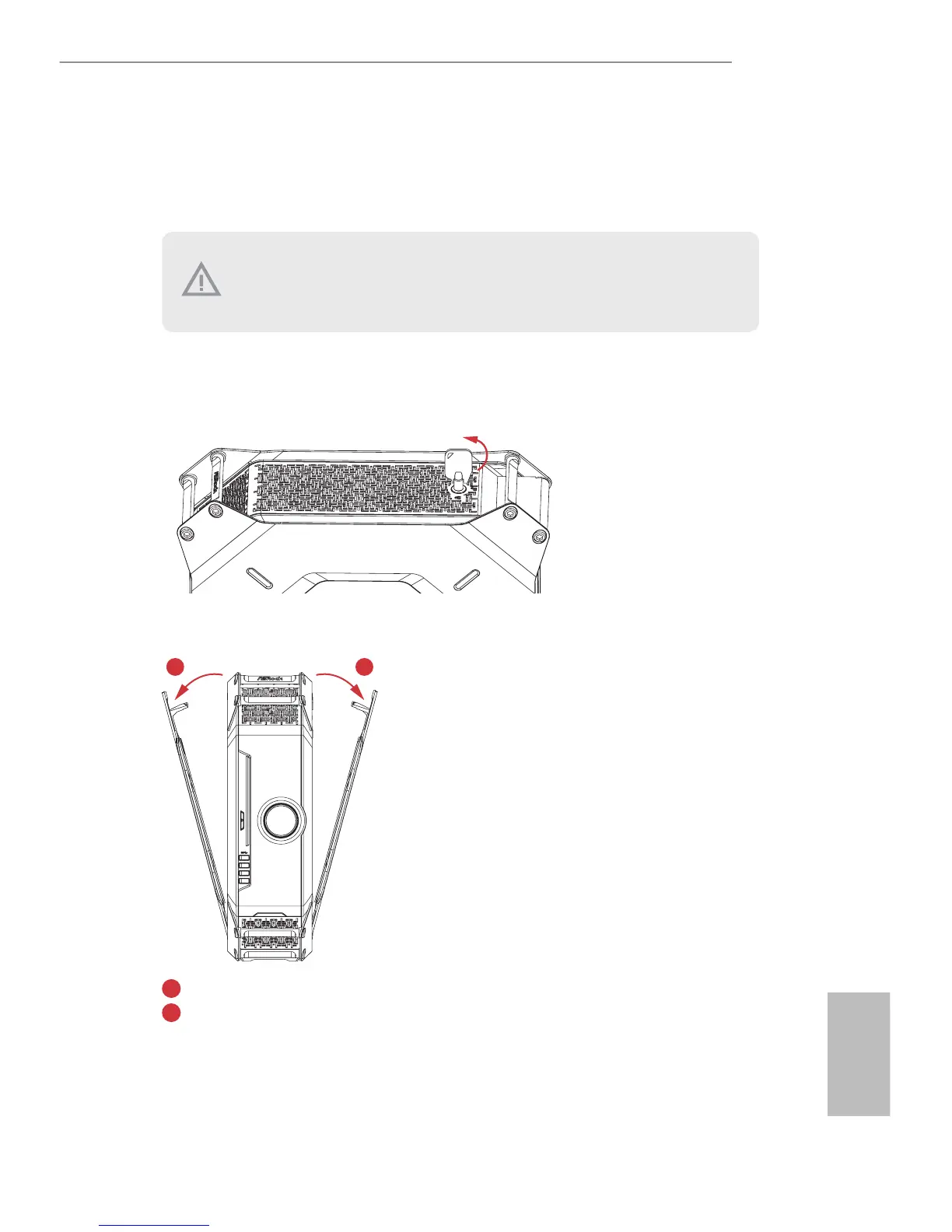
1. Place the system in an upright position.
2. Unlock the system keylock on the top cover.
3. Remove the side panels.
Pull the right side panel away from the chassis.
Pull the le side panel away from the chassis.
To remove the side panels, you have to unlock the keylock on the top cover using the system
key. Before unlocking, power o the system and unplug the power cord. Aer the side panel
are replaced, make sure to lock the keylock on the top cover and then power on the system.
1
2




 To Next Page