2
3
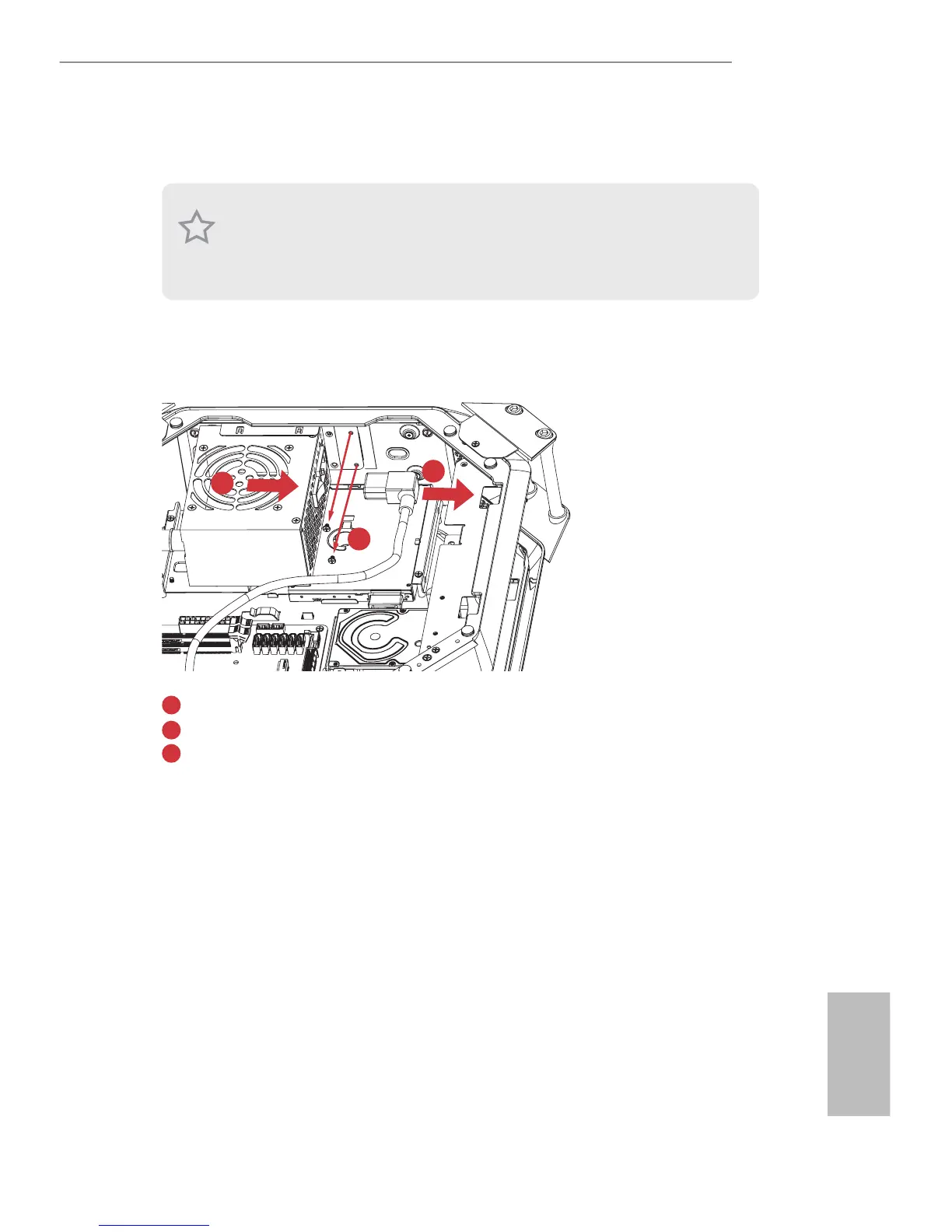
Unplug the PSU power cable.
Remove the two screws securing the power supply unit.
Slide the PSU to the right until it releases. Li the PSU and set it aside.
1. To install the hard drives, you have to remove the PSU.
2. e ODD + 2.5” HDD Tray ts a slim slot-in optical disk drive (ODD) and a 2.5-inch
hard drives.
3. Hard drives are not included with this system.
1
2
3




 To Next Page