5
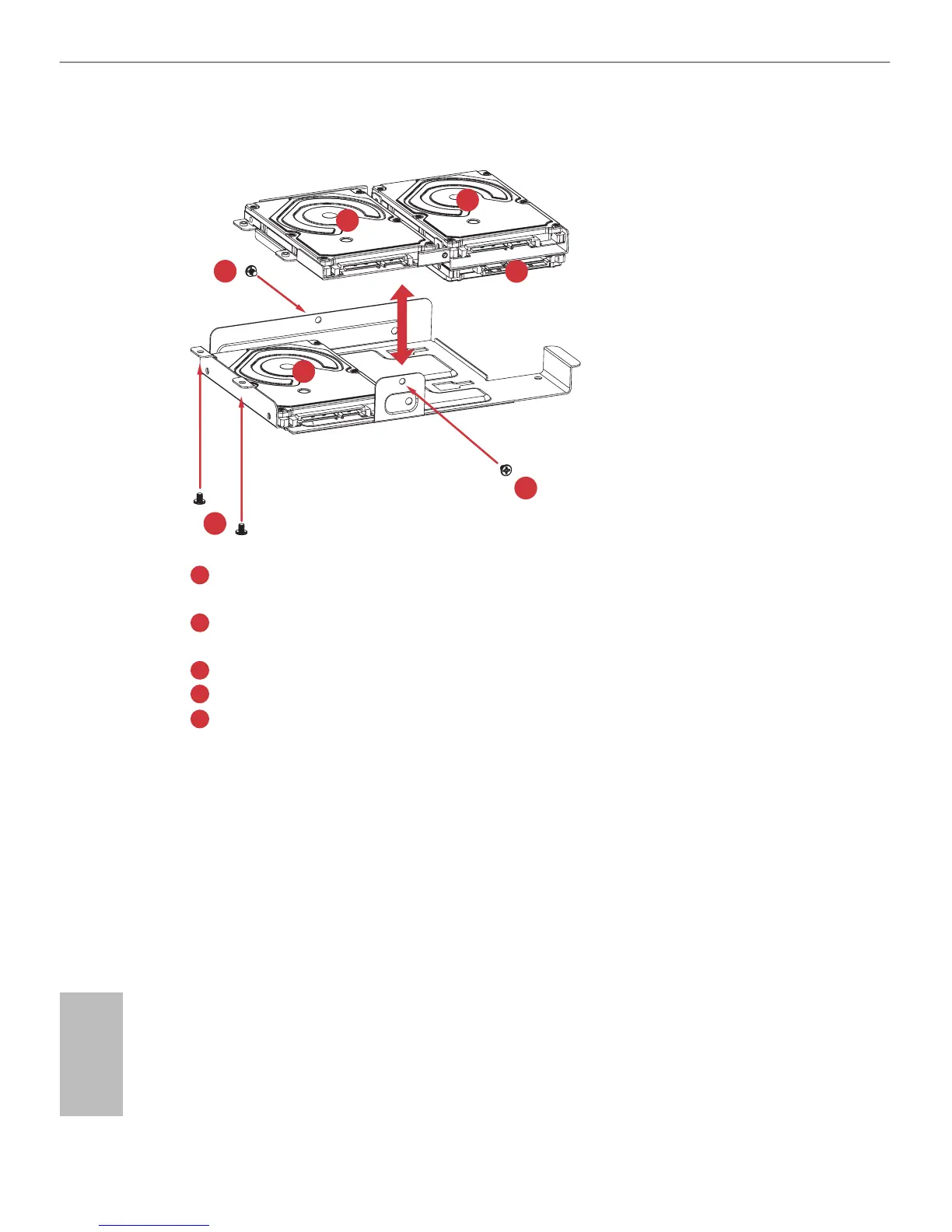
Place the rst 2.5" HDD to the bottom HDD tray and secure the hard drive using the
four screws (two on the sides and two in the rear).
Place the second 2.5" HDD to the top HDD tray and secure the hard drive using the four
screws.
Secure the third HDD to the top HDD tray.
Secure the fourth HDD to the top HDD tray.
Attach the top HDD tray to the bottom HDD tray using four screws.
4. Place the drive tray back into the chassis.
Slide the drive tray toward the rear of the system until the latches lock it into place.
5. Install and tighten the screw that secures the drive tray assembly to the chassis.
6. Connect the power and SATA data cables.
1
2
3
4
5







 To Next Page