Setting up the Wireless Network
It is highly recommended to use a router that supports 802.11ac/802.11n at 5GHz
frequency. Please follow the instructions below to connect to 5GHz wireless network.
Step 1
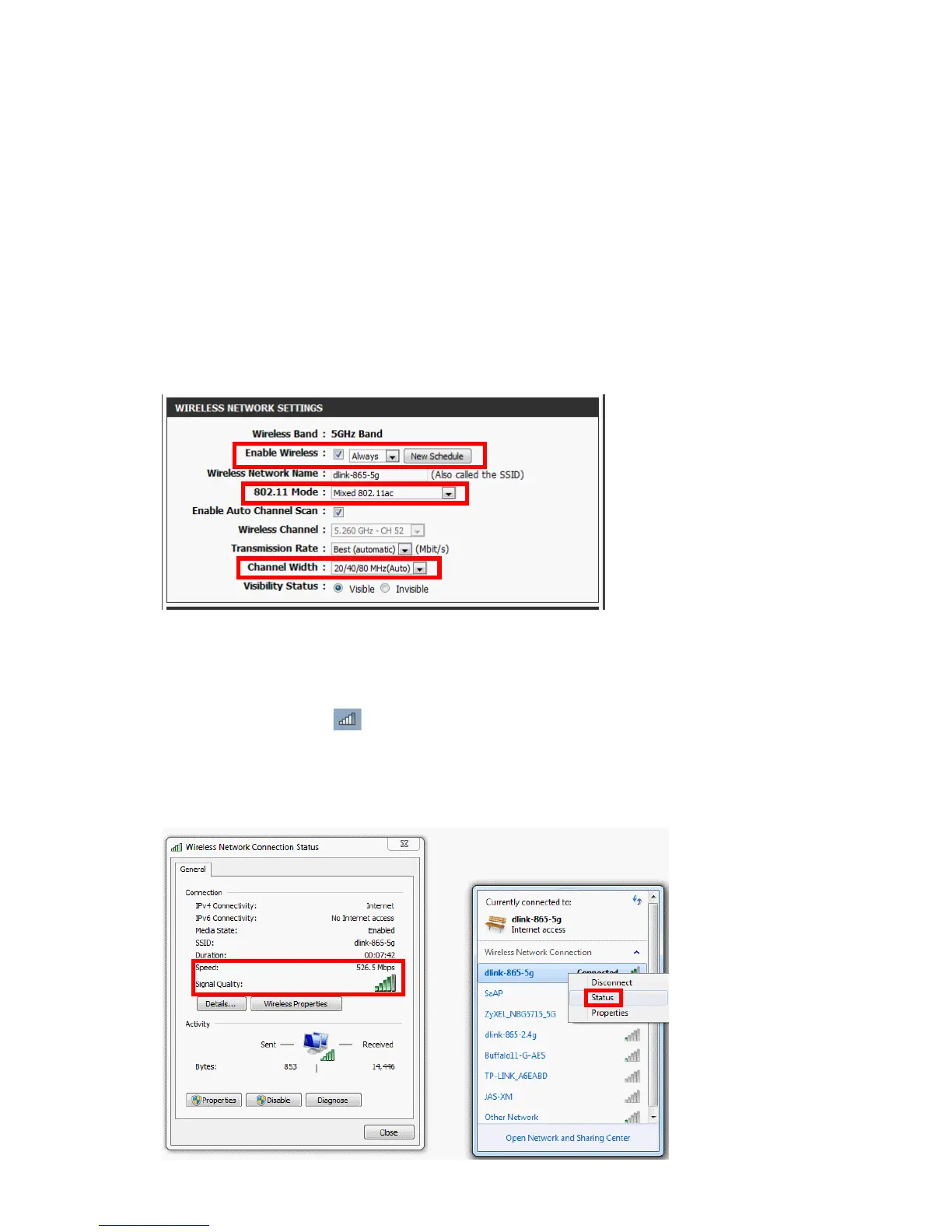
Consult the user manual of your router to enter the conguration page for wireless
network. Check if your router is set to 5GHz. Under "Wireless Network Settings",
check the following congurations.
Enable Wireless: Check the box to enable the wireless function.
802.11 Mode: Select "Mixed 802.11ac" for 802.11ac/802.11n wireless clients.
Channel Width: Select "20/40/80 MHz (Auto)".
*Please note that your router's screen may appear dierent from the image
above. Please check the user manual of your router for more details.
Step 2
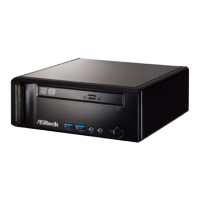
Right-click the WiFi icon at the bottom-right corner of your desktop screen.
Step 3
Right-click the wireless network and select Status. Check the wireless connection
status.




 To Next Page