22
English
3.1.5 Installing the Hard Drives
3.1.5.1 Installing the Hard Drive(s) to the Drive Tray Assembly
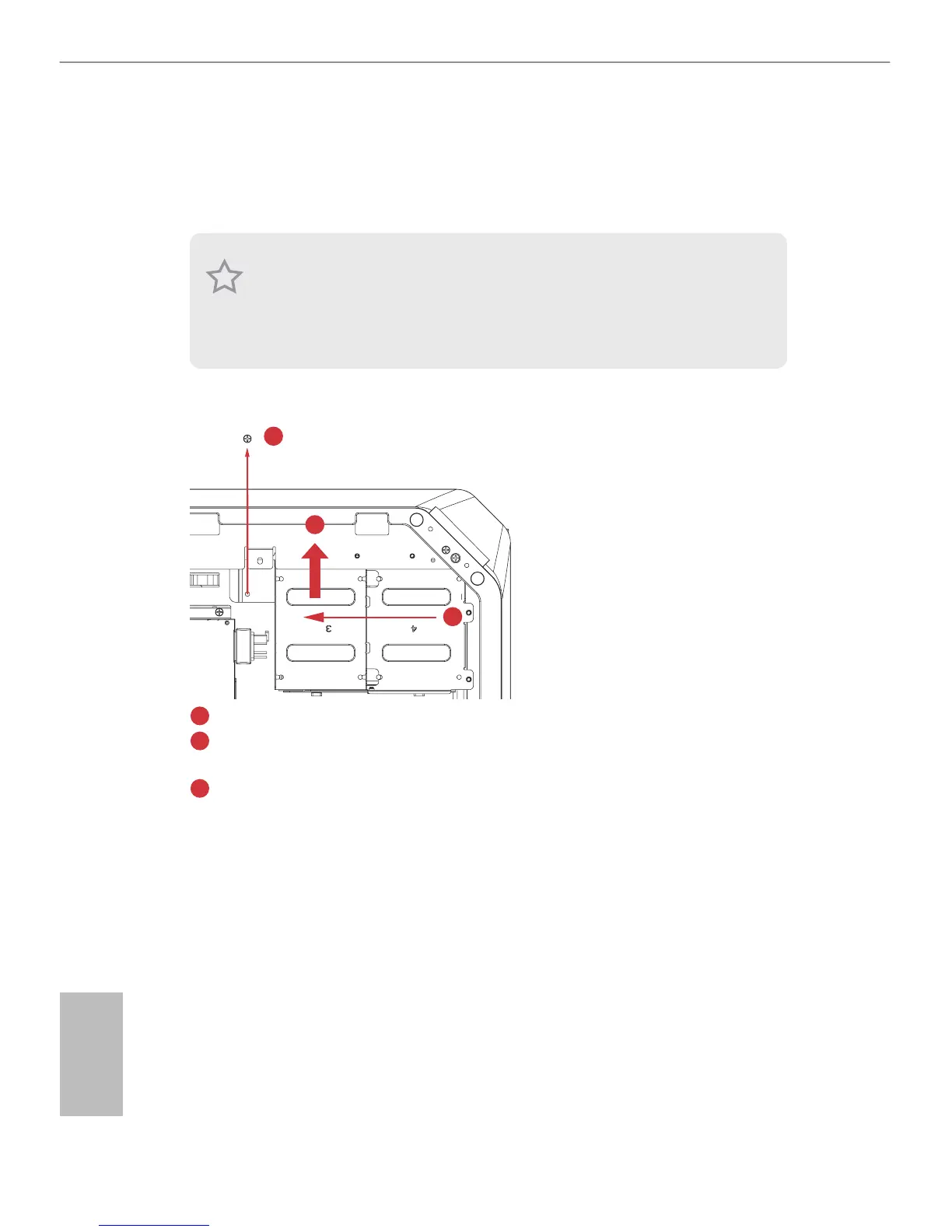
1. Remove the drive tray assembly.
1
3
2
Remove the screw that secures the drive tray assembly to the chassis.
Slide the drive tray assembly toward the front of the system to disengage it from the
latches.
Li it away from the chassis.
1. To install the hard drives, you have to remove the VGA card holder and the riser card ,
giving you access to the drive tray assembly inside.
2. e drive tray assembly supports up to four 2.5-inch hard drives. You can also choose to
install one 3.5-inch hard drive.
3. Hard drives are not included with this system.
1
2
3




 To Next Page