56
English
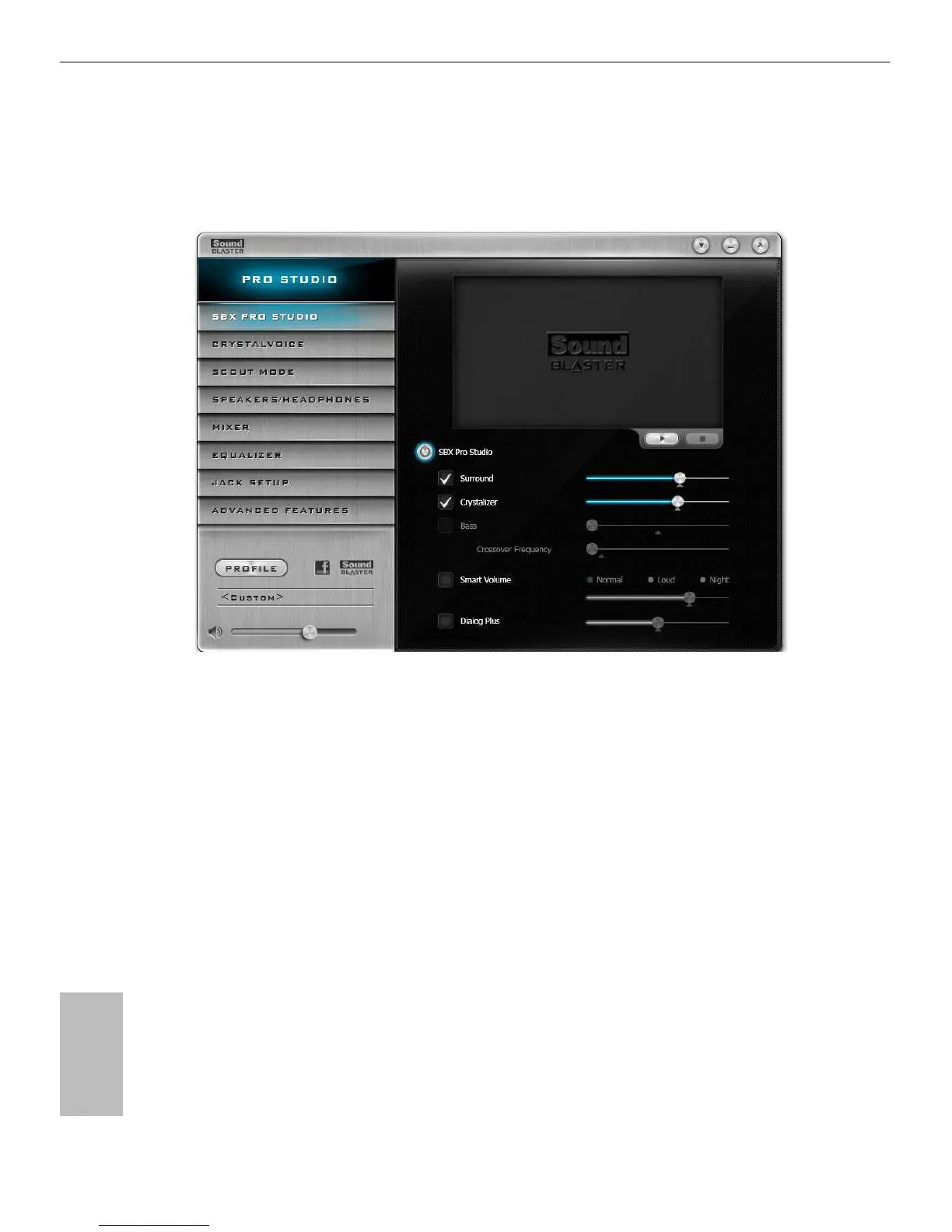
5.3 SBX Pro Studio
is section explains how to congure the Creative Sound Core3D using SBX Pro
Studio.
Click the power button on the le to activate or deactivate.
Surround
Control the level of audio immersion in music, movies and games.
Crystalizer
Enhance music and movies to make them sound livelier.
Bass
Control the desired level of bass.
Crossover Frequency
Redirect all frequencies below this value to the optimal speaker for better bass
response.
Smart Volume
Adjust the loudness of your audio playback automatically to minimize sudden
volume changes.
Dialog Plus
Enhance the voices in movies for clearer dialog.












 To Next Page