M8
81
English
Step 5
Enter the Windows password to log in and you will see the desktop of your host computer.
For iOS or Android Mobile Devices users:
Download and install “Orbweb.ME Professional” app from the App Store (iOS) or Play
Store (Android).
Step 1
Tap the “Orbweb.ME Professional” app icon
to launch it.
Step 2
Log in with your Orbweb.ME account and password.
Step 3
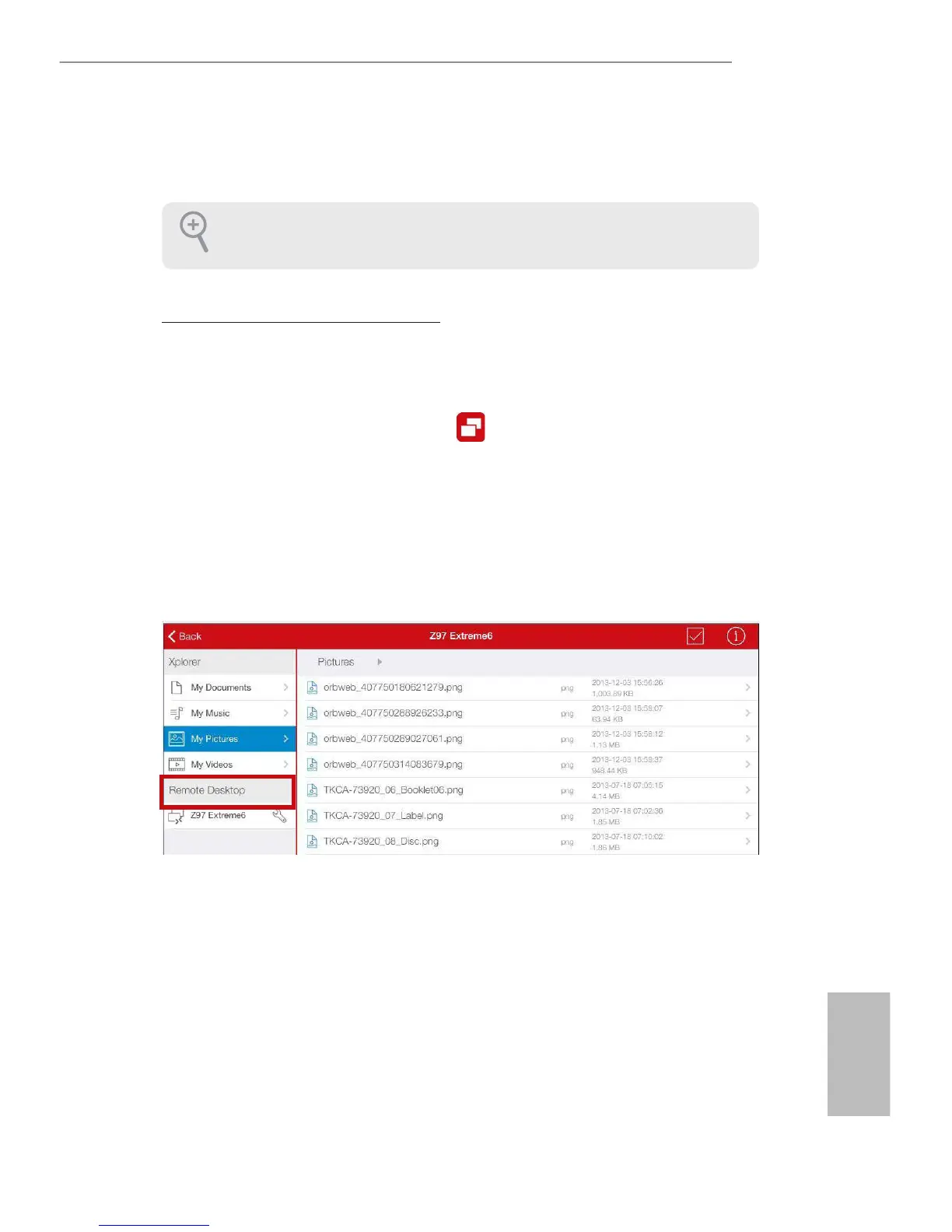
Tap the host computer name that you want to access under the Remote Desktop section.
Step 4
Enter the Windows password to log in and you will see the desktop of your host computer.
Please refer to the user manual of the Orbweb.ME Professional for more instructions
on how to use Orbweb.ME Professional.




 To Next Page