38
ENTR™ User Manual
7.2 Pairing a Smartphone
Press [Add].
2
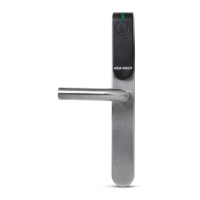
Touch the Door Unit screen with
your palm or for 3 seconds
to
1
Numeric illuminate.
Type [PIN Code] [#].
Numeric blink.
3
Press [2] to add a smartphone.
[OK] blinks for 3 seconds.
Illuminated turn
ENTR™ will be visible for 5 min.
4
This procedure is done via the ENTR™ lock door unit.
Open the ENTR™ app and follow the steps described in order to pair the smartphone
with the ENTR™ lock.
ENTR™ App User Manual is available for download at: www.entrlock.com



 To Next Page
 Loading...