4. Unit operation
PHG 300A / 301A User Manual Page 18 of 40
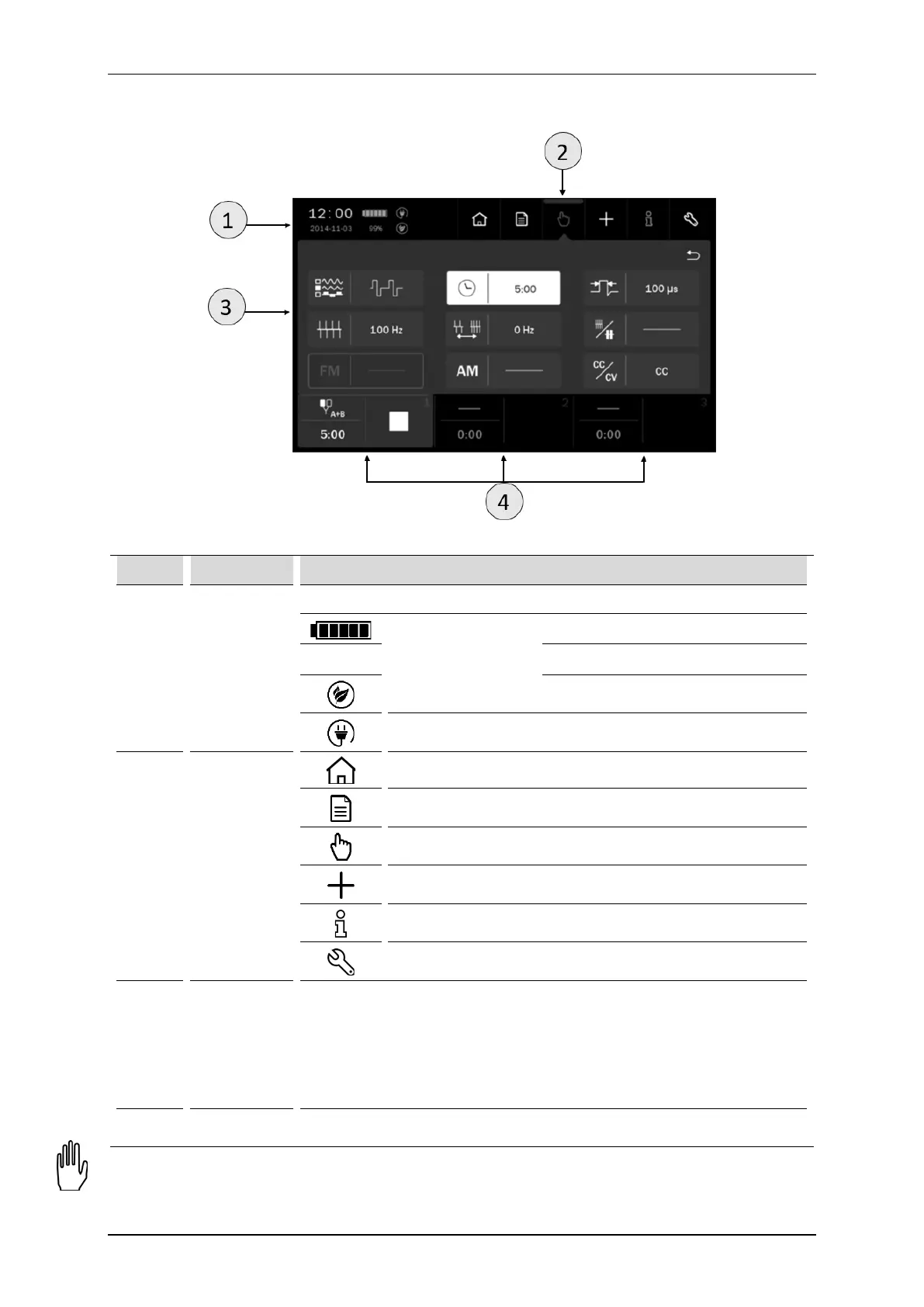
4.2 Screen configuration
Figure 4.1. Field description
Symbol Display Description
1 Status tab
Date and time
Battery
Quality level battery charging symbols
80% Percentage of charging level
Eco battery mode – charging up to 80%
Mains cable connected
2 Main menu
Therapy selection menu
Program mode
Manual mode
User-defined treatment programs and sequences edition mode
Information mode
Setup mode
3 Edition field
This field shows:
• available therapies
• treatment parameters in manual mode
• list of preset treatment programs and sequences
• list of user-defined treatment programs and sequences
• settings
4
Details are described in chapter 4.3.2.
Note: If the edition / main menu field is grayed out, it means that it is inactive.



 To Next Page