4. Unit operation
PHG 300A / 301A User Manual Page 20 of 40
Therapy availability depends on the type of connected accessories (ultrasound heads) and their condition
(undamaged). Accessories are specified in PhysioGo – Technical description manual.
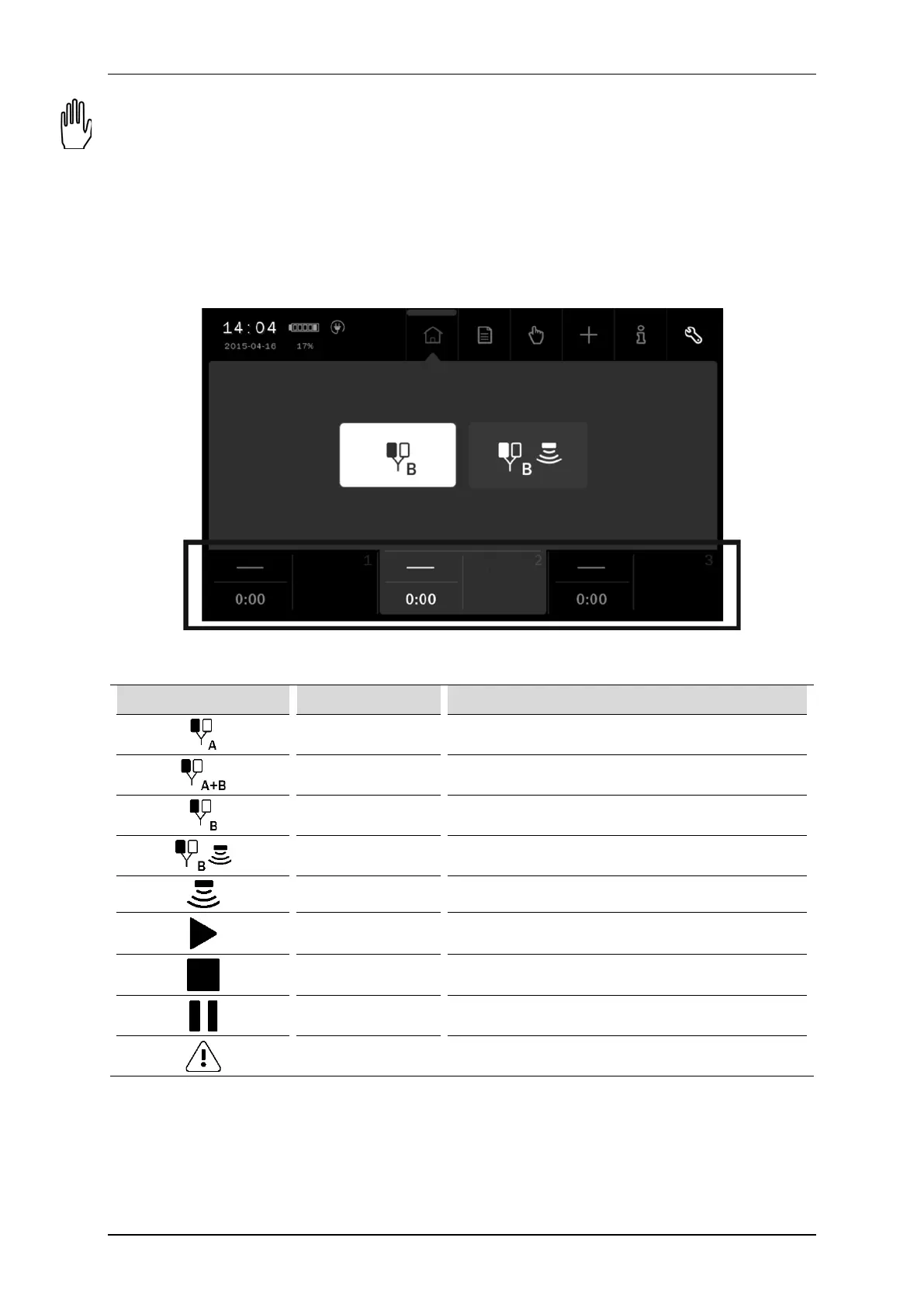
4.3.2 Channel selection tabs
The screen displays three channel selection tabs. They present:
• selected therapy symbol
• treatment time,
• information related to the particular channel operating status.
The color of the tab is identical to the background color of the edition field. In the background, other operating
tabs are black.
Figure 4.3. Location of channel selection tabs
The table below explains the meaning of the symbols presented in tabs:
Symbol Treatment channel Description
1 Selected single circuit electrotherapy – socket A
1 Selected dual circuit electrotherapy – socket A and B
2 Selected single circuit electrotherapy – socket B
2 Selected combined therapy
3 Selected ultrasound therapy
Any Ongoing treatment
Any Treatment interrupted
Any Ready to start amplitude adjustment or pause.
Any Channel error (yellow symbol)



 To Next Page