USER MODE (T MODEL ONLY)
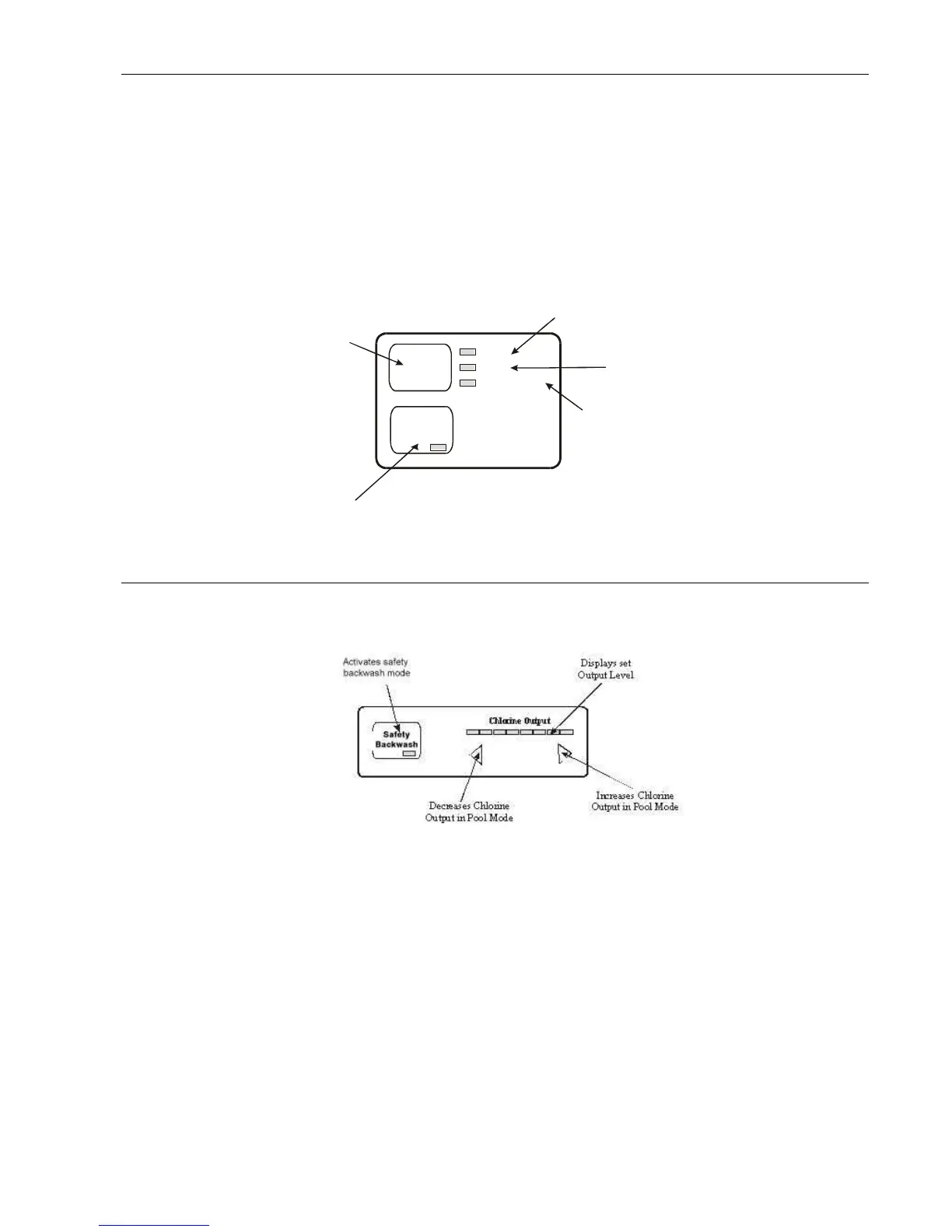
The user mode buttons enable you to select Pool or Spa mode and to manually control the Chlorinator/Pump. Functions
are as follows:
(a) POOL MODE: Sends a message to other AstralPool equipment (if fitted) to go to Pool mode. There are 3 Pool
Modes
Auto The Chlorinator/Pump will run according to how you have set the timers.
On The Chlorinator/Pump will run continuously.
Standby/Off The Chlorinator/Pump will stay off continuously.
(b) SPA MODE: Sends a message to other AstralPool equipment (if fitted) to go to Spa mode and turns the pump on
USER MODE (S MODEL ONLY)
To change the Chlorinator to a non timer model (S MODEL), please follow the following steps
1. Before powering up the Chlorinator, while holding both the decrease/Increase Arrow Buttons turn the power on to the
Chlorinator
2.LED screen will light up with the words”SETUP” Press Bachwash will appear. Press the Backwash button once.
Screen will now show “Timers:” ENABLE. Press the Decrease Arrow button and Screen will show “DISABLE”
3. Press both the Decrease and Increase Arrow buttons at the same time and Chlorinator will leave the set menu and
go back to normal operation.
The user mode buttons enable you to select Pool or Spa mode and to manually control the Chlorinator/Pump. Functions
are as follows:
(c) POOL MODE: Sends a message to other AstralPool equipment (if fitted) to go to Pool mode.
Auto Not Used
On The Chlorinator/Pump will run continuously.
Standby/Off The Chlorinator/Pump will turn off.
(d) SPA MODE: Sends a message to other AstralPool equipment (if fitted) to go to Spa mode and turns the pump on


 To Next Page