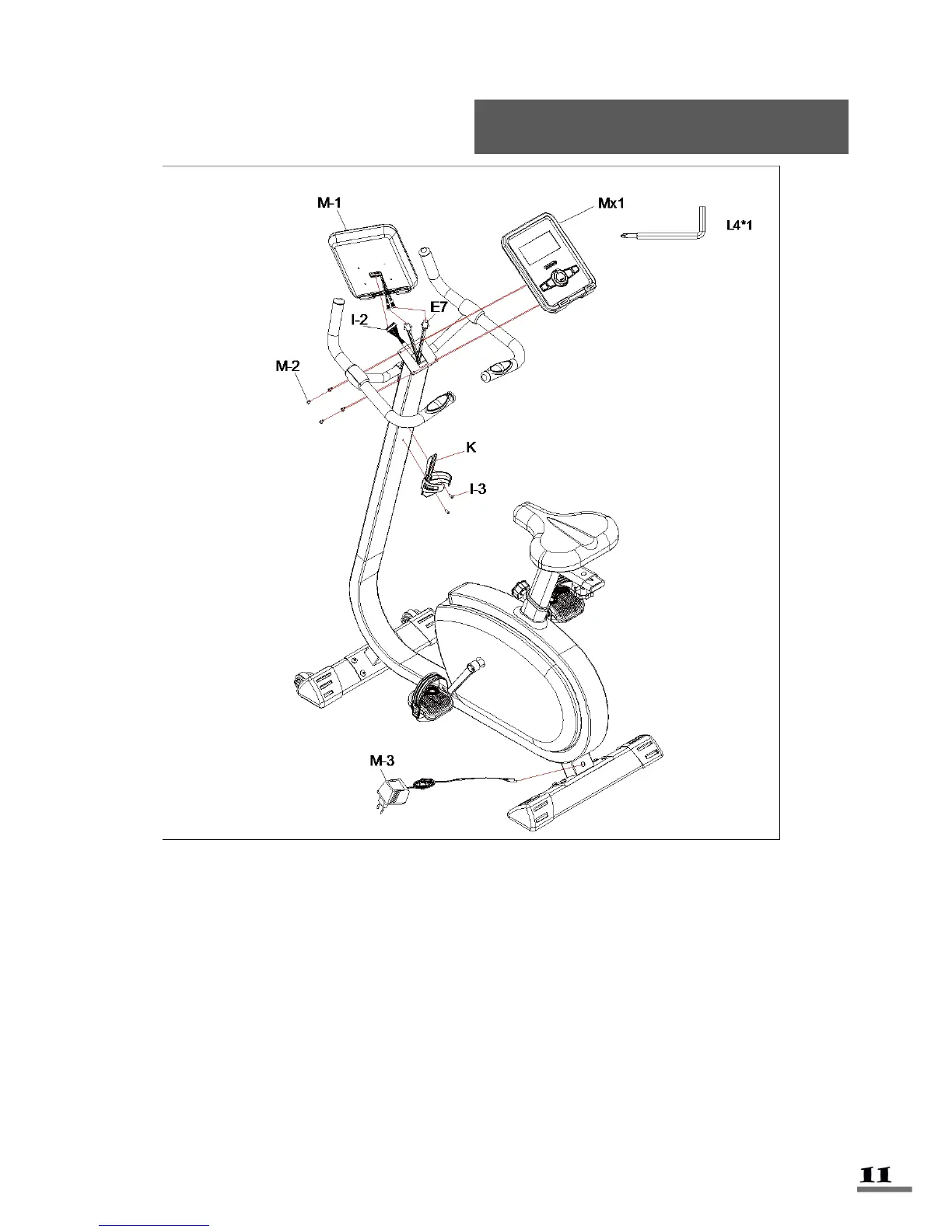
STEP 5:
Attach the Bottle Holder (No. K) onto the Post Tube (No. I) using 2 Philip Screws
(No. I3).
Connect the Pulse Wires (No. E7) from the Post Tube (No. I) to the pulse wires at
the back of the Computer (No. M1).
Insert the Computer Middle Wire (No. I2) from the Post Tube (No. I) into the
connection terminal located on the back of Computer (No. M1).
Attach the Computer (No. M1) onto the Post Tube (No. I) using 4 Screws (No. M2)
and Allen Wrench (No. L4). Next, plug in the Adaptor (No. M3).



 To Next Page