POWER ON
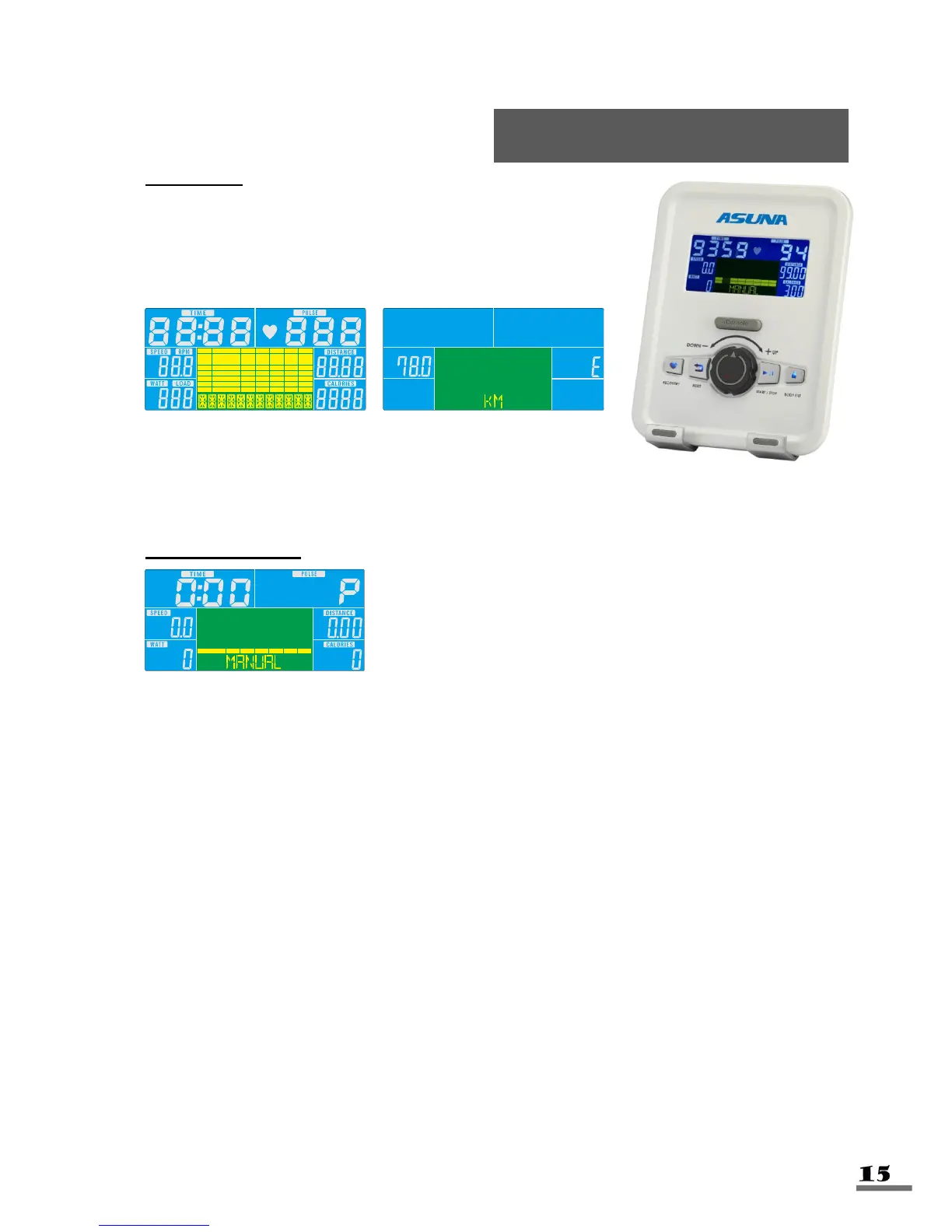
Plug in power supply, computer will power on and display
all segments on LCD for 2 seconds. After 4 minutes
without pedaling or pulse input, console will enter into
power saving mode. Pressing any key may wake the
Console up.
WORKOUT SELECTION
Press UP and Down to select workout Manual Beginner
Advance Sporty Cardio Watt
MANUAL MODE
Press the START button from the main menu to begin a workout in Manual Mode.
1. Turn the control knob +UP or -DOWN to select workout program, choose Manual
and press Enter to confirm.
2. Turn the control knob +UP or -DOWN to preset TIME, DISTANCE, CALORIES or
PULSE and press Enter to confirm.
3. Press START/STOP keys to start workout. Turn the control knob +UP or -DOWN to
increase or decrease load level.
4. Press START/STOP keys to stop workout. Press RESET to return to the main
menu.



 To Next Page