Chapter 1: Knowing the Parts
1-4
8
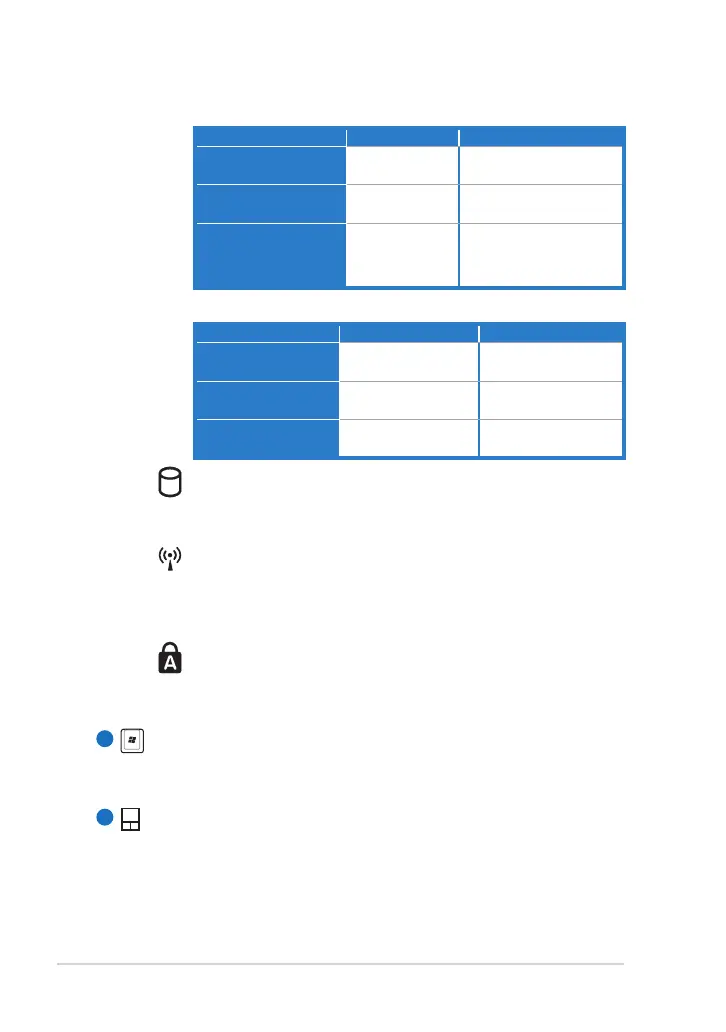
Powered ON / Standby mode
With Adapter Without Adapter
High battery power
(95%–100%)
Green ON Off
Medium battery
power (10%–94%)
Orange ON Off
Low battery power
(0%–10%)
Orange
Blinking
Orange Blinking
(Powered ON)
Off (Standby Mode)
Powered OFF
With Adapter Without Adapter
High battery power
(95%–100%)
Green ON Off
Medium battery
power (11%–94%)
Orange ON Off
Low battery power
(0%–10%)
Orange Blinking Off
Storage Device Indicator
The storage device indicator blinks when data is written to
or read from the storage device.
Wireless/Bluetooth Indicator
This is only applicable on models with built-in wireless
LAN/Bluetooth. When the built-in wireless LAN/Bluetooth is
enabled, this indicator lights.
Capital Lock Indicator
Indicates that capital lock [Caps Lock] is activated when
lighted.
Keyboard
The keyboard provides keys with comfortable travel (depth at
which the keys can be depressed) and palm rest for both hands.
Touchpad and Buttons
The touchpad and its buttons comprises a pointing device that
provides the same functions as a desktop mouse. Multi-finger
gesture input is available to allow easy web and document
navigation.
7



 To Next Page