Chapter 2: Getting Started
2-2
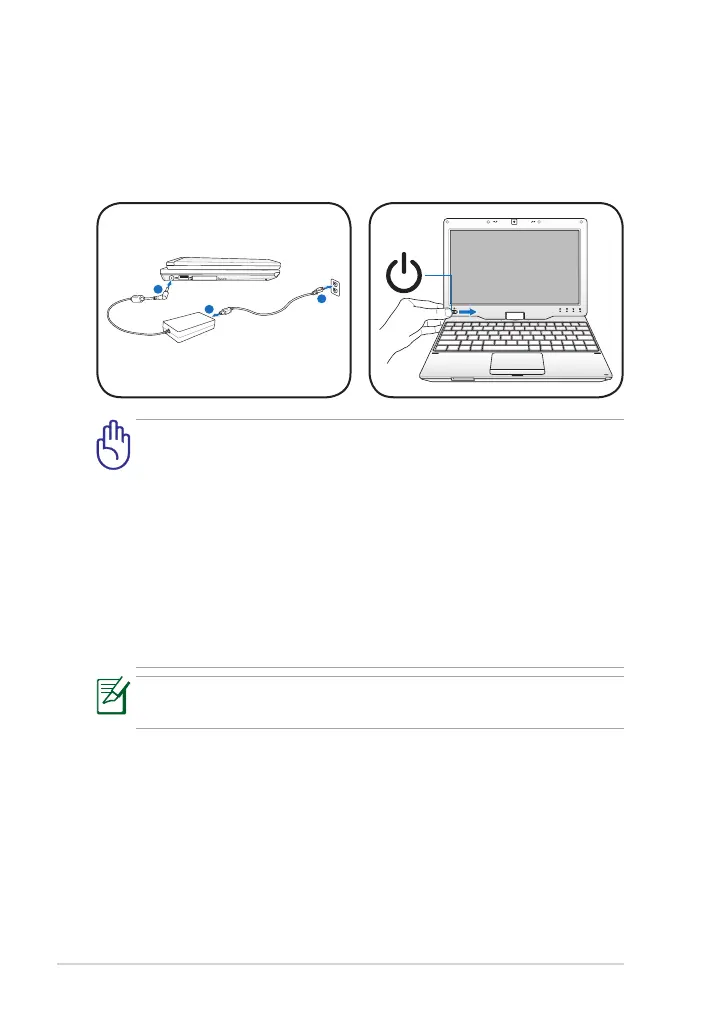
Powering on your Eee PC
These are only quick instructions for using your Eee PC.
1. Connect the AC power
adapter
2. Turn ON the Eee PC
Remember to fully charge the battery before first use to prolong
battery life.
• Damage may occur if you use a different adapter to power the Eee
PC. You may damage both your battery pack and the Eee PC with a
faulty AC-DC adapter.
• When you open the display panel, do not force it down to the table
or else the hinges may break! Never lift the Eee PC by the display
panel!
• Only use power adapters supplied with this Eee PC or specifically
approved by the manufacturer or retailer for use with this model
or else damage may occur to the Eee PC. The output voltage of this
adapter is +12Vdc, 3A.



 To Next Page