Chapter 3: Using the Eee PC
3-2
ASUS Update
The ASUS Update is a utility that allows you to manage, save, and update
the Eee PC BIOS in Windows® environment. The ASUS Update utility allows
you to:
• Save the current BIOS file
• Download the latest BIOS file from the Internet
• Update the BIOS from an updated BIOS file
• Update the BIOS directly from the Internet, and
• View the BIOS version information.
This utility is pre-loaded in your Eee PC and is also available in the support
DVD that comes with the Eee PC package.
ASUS Update requires an Internet connection either through a
network or an Internet Service Provider (ISP).
Updating the BIOS through the Internet
To update the BIOS through the Internet
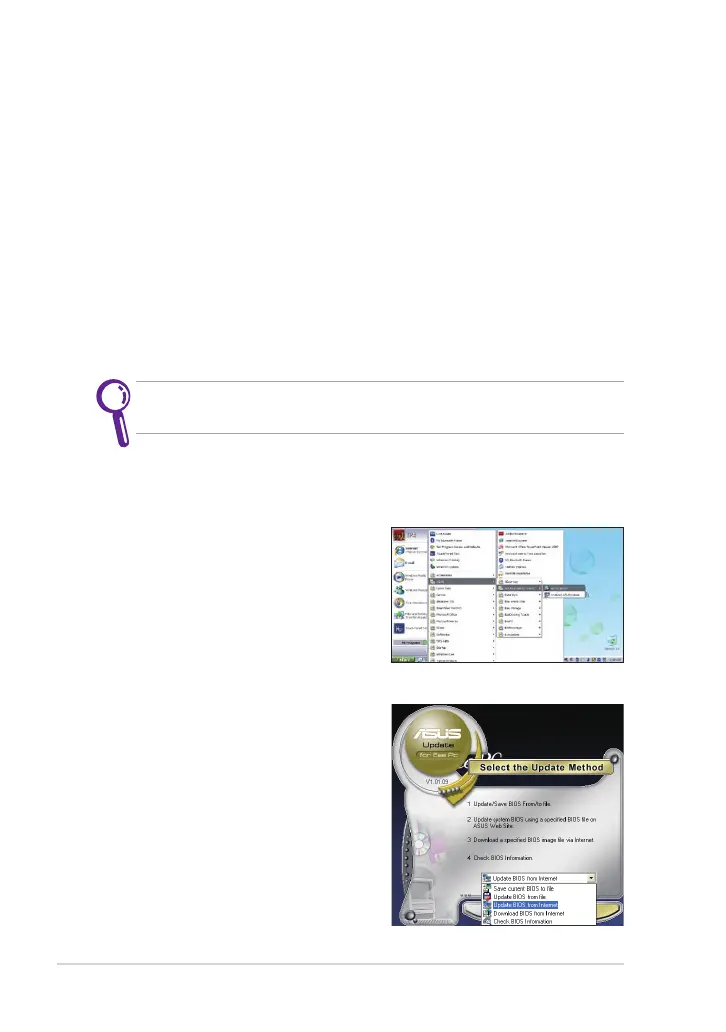
1. Launch the ASUS Update utility
from the Windows® desktop by
clicking Start > All Programs >
ASUS > ASUSUpdate for Eee PC>
ASUSUpdate. The ASUS Update
main window appears.
2. Select Update BIOS from Internet
from the drop-down menu, then
click Next.



 To Next Page