Chapter 2: Getting Started
2-6
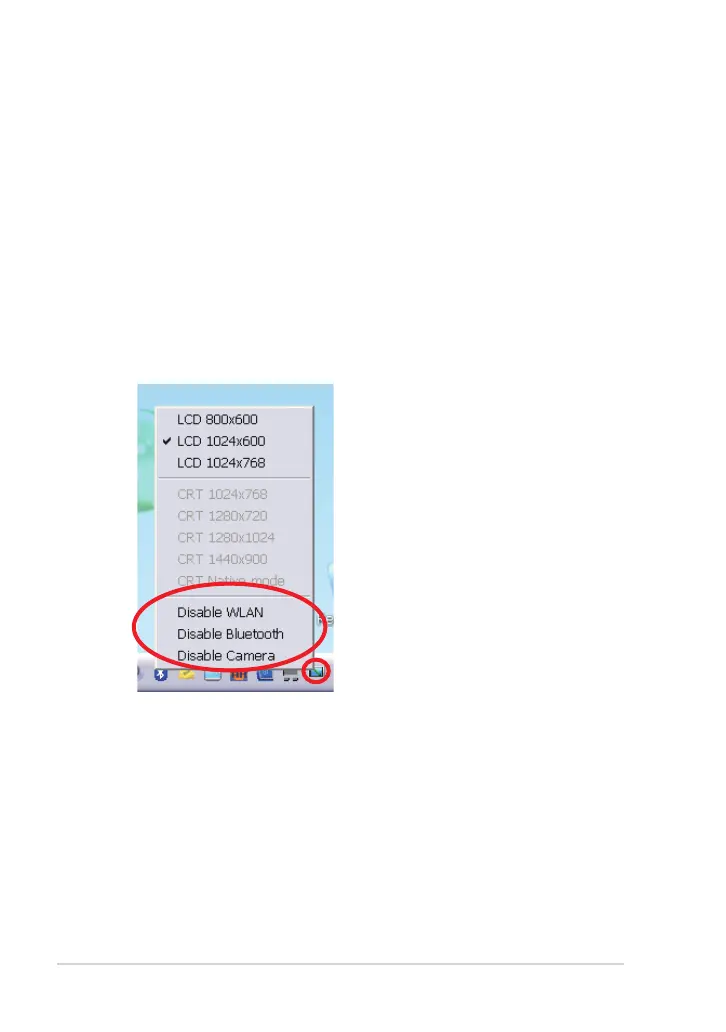
ASUS EeePC Tray Utility
The preloaded ASUS EeePC Tray utility allows you to turn off some devices
to minimize the power consumption and helps you adjust the display
resolution easily.
Enabling and Disabling Devices
To disable or enable devices
1. Right-click the ASUS EeePC Tray Utility icon in the Notification area
and the utility shows the available options:
Disable WLAN: Turns on and off the wireless LAN connection.
Disable Bluetooth: Turns on and off the Bluetooth connection.
Disable Camera: Enable or disable the built-in camera.
2. Select an option to turn it on or off based on your needs. The
unavailable options are dimmed.



 To Next Page