ASUS Eee PC
2-9
Local Area Network
To establish a wired network, follow the instructions below:
Using a dynamic IP:
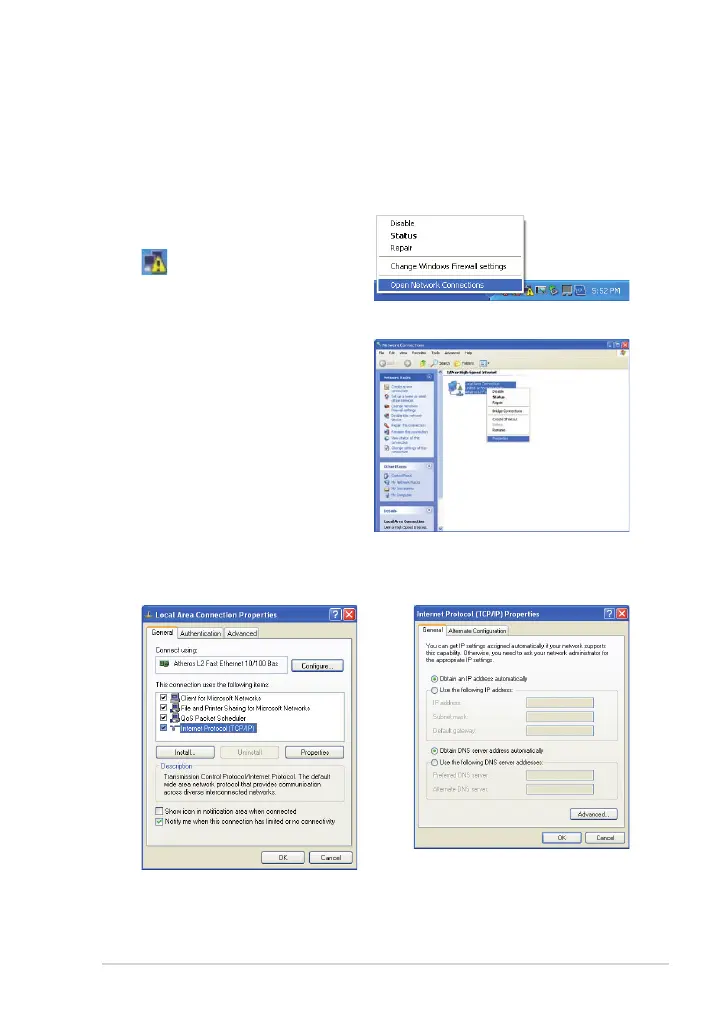
1. Right-click the network icon
with a yellow warning triangle
in the notification area
and select Open Network
Connections.
2. Right-click Local Area
Connection and select
Properties.
3. Click Internet Protocol
(TCP/IP) and click Properties.
4. Click Obtain an IP address
automatically and click OK.



 To Next Page