ASUS Eee PC
3-5
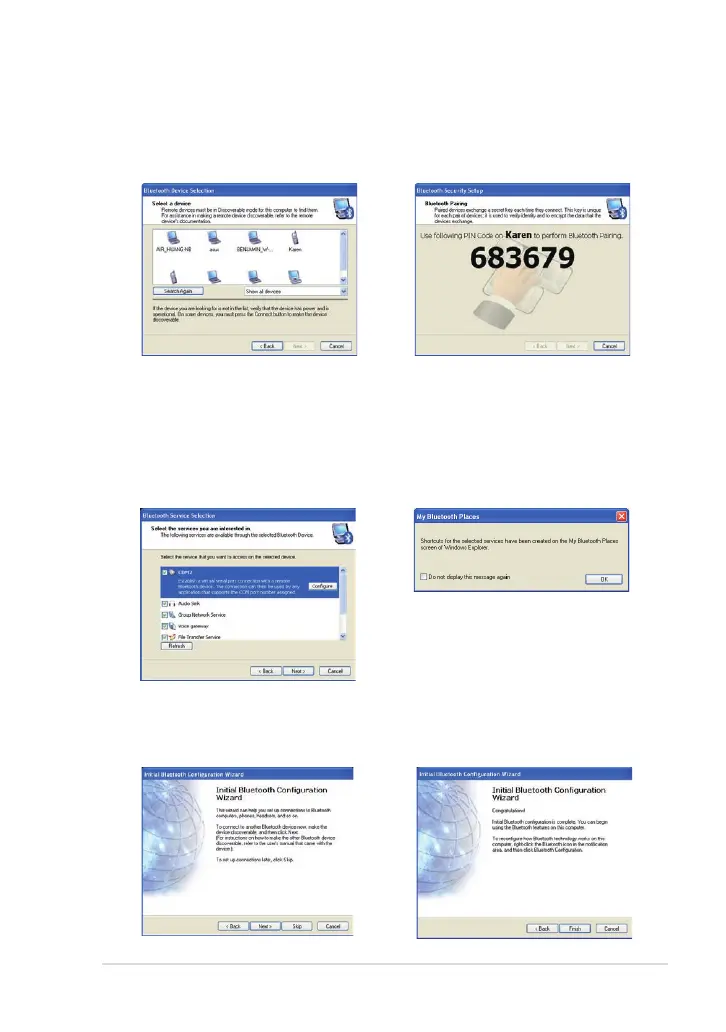
7. Select a Bluetooth-enabled
device from the list and click
Next.
8. Enter the Bluetooth security
code and start pairing.
9. After the paired relationship
is built, select the service you
are interested in from the list
and click Next to continue.
10. A message appears to show
that the selected shortcuts
have been created on the My
Bluetooth Places screen of
Windows Explorer. Click Ok to
continue.
11. Click Skip to set up
connection later and continue.
12. Click Finish to complete the
initial bluetooth configuration.



 To Next Page