English
23
All-in-One PC ET2020 Series
Mounting to the wall
To mount your ASUS All-in-One PC to the wall, you will need the included wall mount screws
and a VESA 100-compliant wall mount kit.
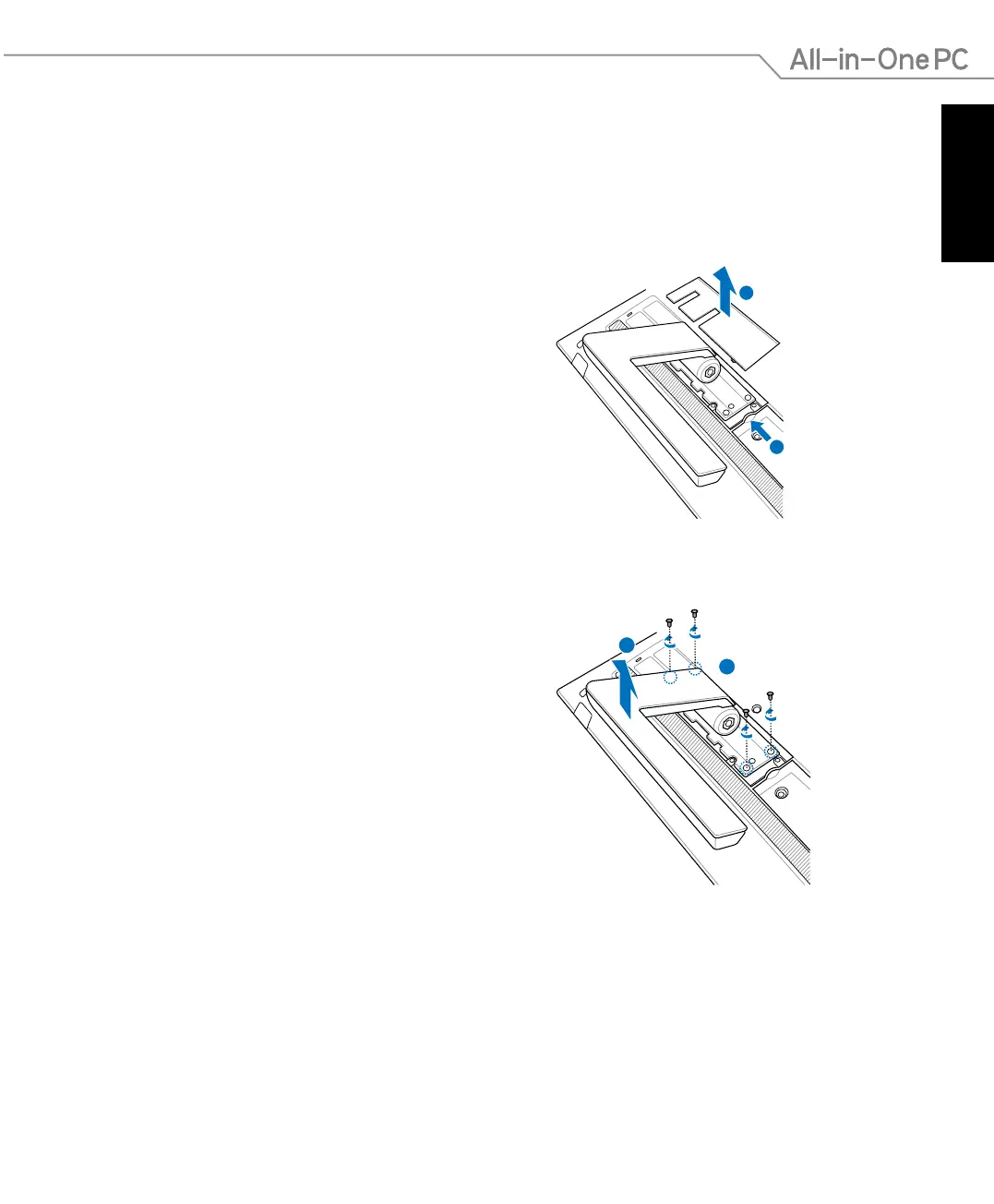
1. Place the All-in-One PC face-down,
resting the display panel on a at even
surface.
2. Remove the hinge cover.
3. Remove the four screws securing the
stand in place and save for future
reinstallation. Remove the stand.
4. Replace the hinge cover.



 To Next Page