English
43
All-in-One PC ET2020 Series
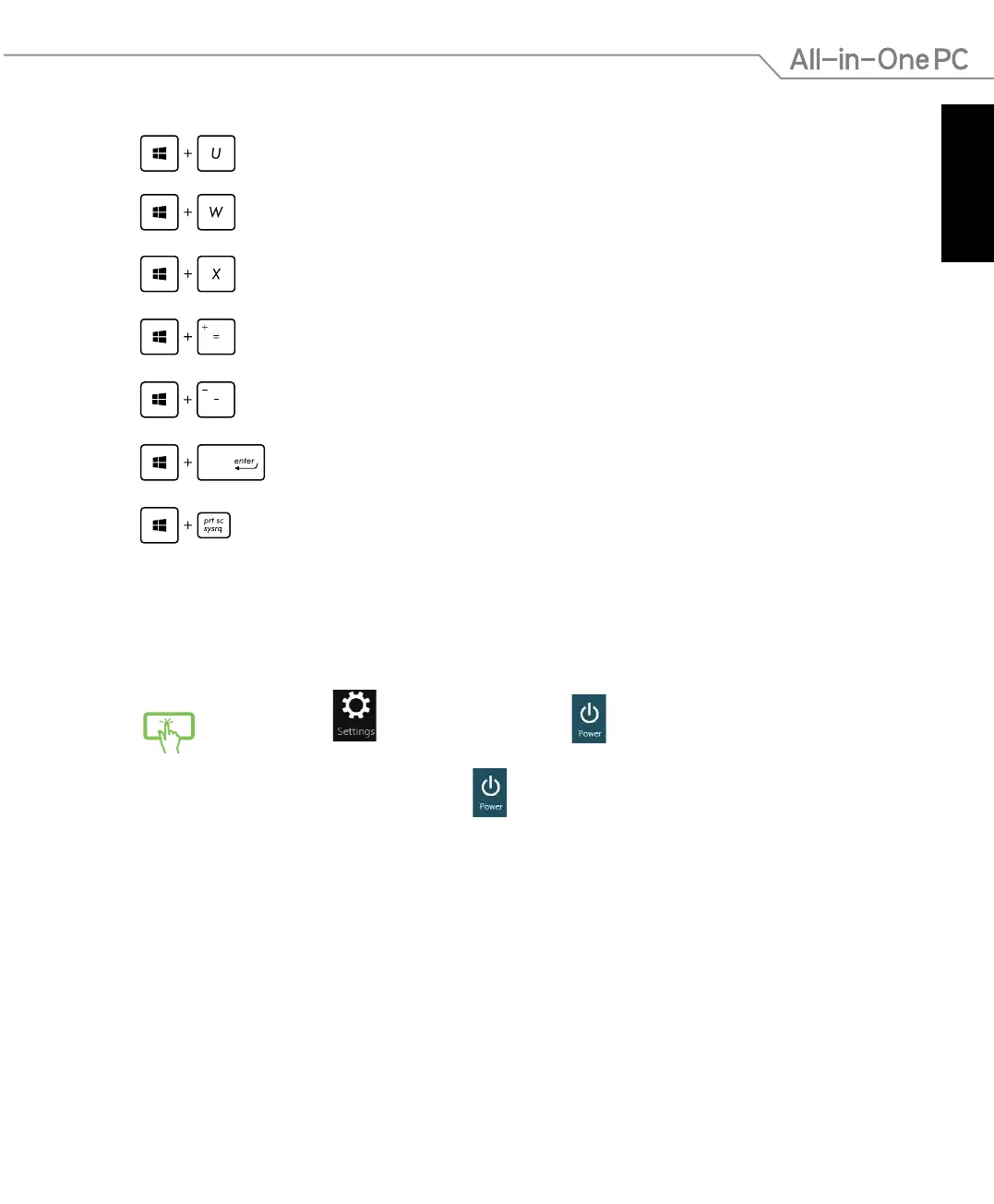
Opens Ease of Access Center
Opens the Settings search pane
Opens a menu box of Windows tools
Launches the magnier icon and zooms in your screen
Zooms out your screen
Opens the Narrator Settings
Enables the print screen function
Turning your All-in-One PC off
Do either of the following to shut down your All-in-One PC:
• Tap from
the Charm bar then tap > Shut down to do a normal
shutdown.
• From the log-in screen, tap
> Shut down.
• If your All-in-One PC is unresponsive, press and hold the power button for at
least four (4) seconds until your All-in-One PC turns o.



 To Next Page