English
29
All-in-One PC ET2020 Series
Conguring the audio output using an HDMI device
If you want to use a high-denition TV as an audio output device, connect the TV to the All-in-
One PC using HDMI and follow the steps below to congure the audio settings.
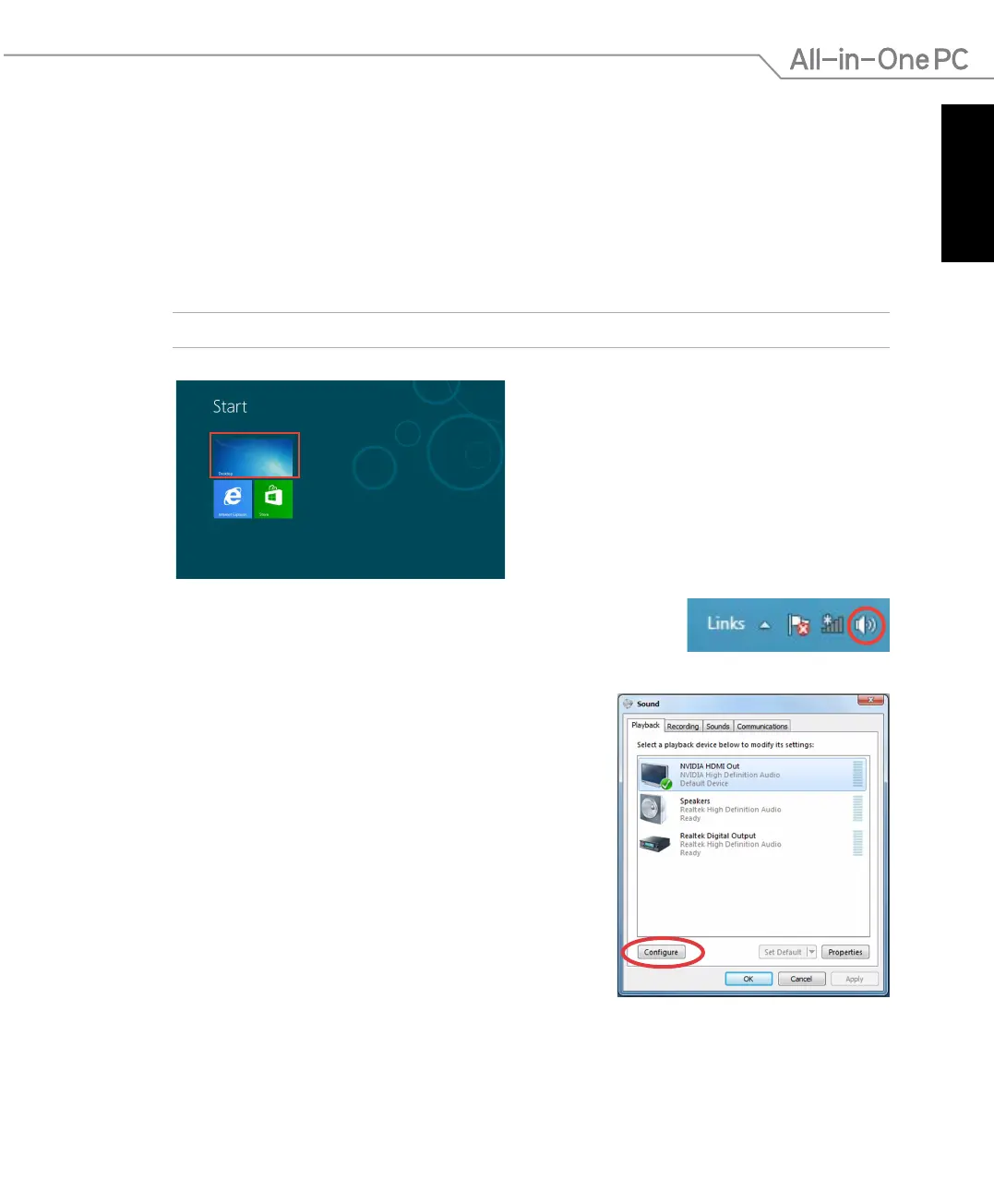
To congure the audio output using an HDMI device:
1. From the Start screen, click
Desktop to launch the Desktop Mode.
NOTE: For more details, refer to the section Start screen under Working with Windows® 8.
2. Right-click the Volume Mixer icon on the Windows® taskbar and
click Playback devices.
3. From the Playback screen, select
Digital Audio
(HDMI).
4. Click
Congure and the Speaker Setup window pops
up.


 To Next Page