English
59
All-in-One PC ET2020 Series
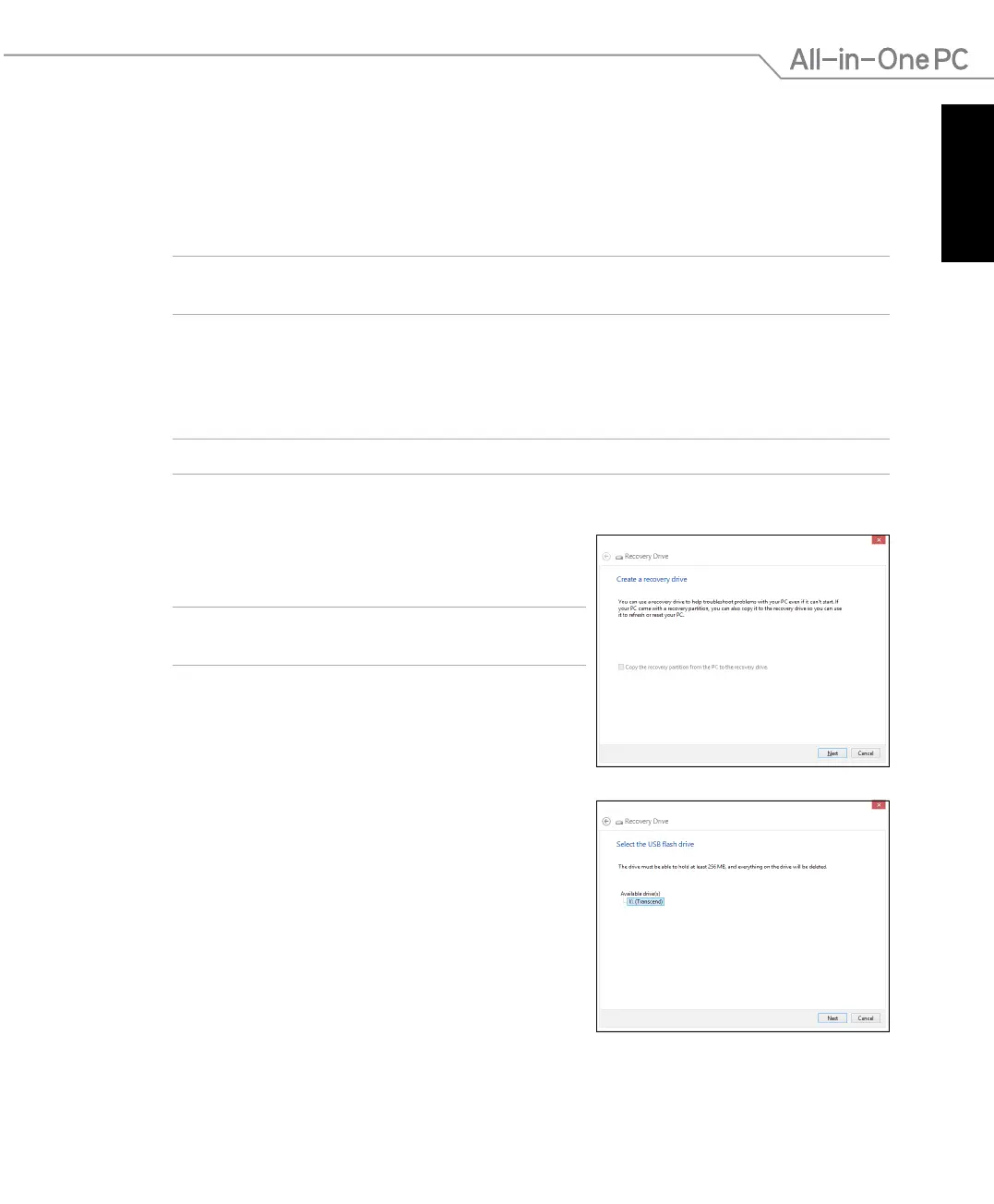
5. Select the USB storage device where you want to
copy the recovery les.
6. Click
Next.
Recovering from a system image le in Windows
®
8
You can create a USB recovery drive and use this to recover your PC’s settings.
Creating a USB recovery drive
WARNING! All les on your USB storage device will be permanently deleted during the process.
Before you proceed, ensure that you back up all your important data.
To create a USB recovery drive:
1. Launch the Control Panel from the All Apps screen.
NOTE: For details, refer to Launching the All Apps screen under Working with Windows® apps.
2. From the Control Panel’s System and Security, click Find and x problems.
3. Tap or click
Recovery > Create a recovery drive.
4. Tap or click
Next.
NOTE: If the check box is not ticked, no device drivers
and apps will be installed in the recovery device.



 To Next Page