English
44
All-in-One PC ET2020 Series
Chapter 4: Connecting to the Internet
Access emails, surf the Internet, and share applications via social networking sites on or from
your PC using wireless/Wi-Fi or wired connection.
Setting up a Wi-Fi connection in Windows
®
7
1. Click the wireless network icon with an orange star in the Windows® Notication
area.
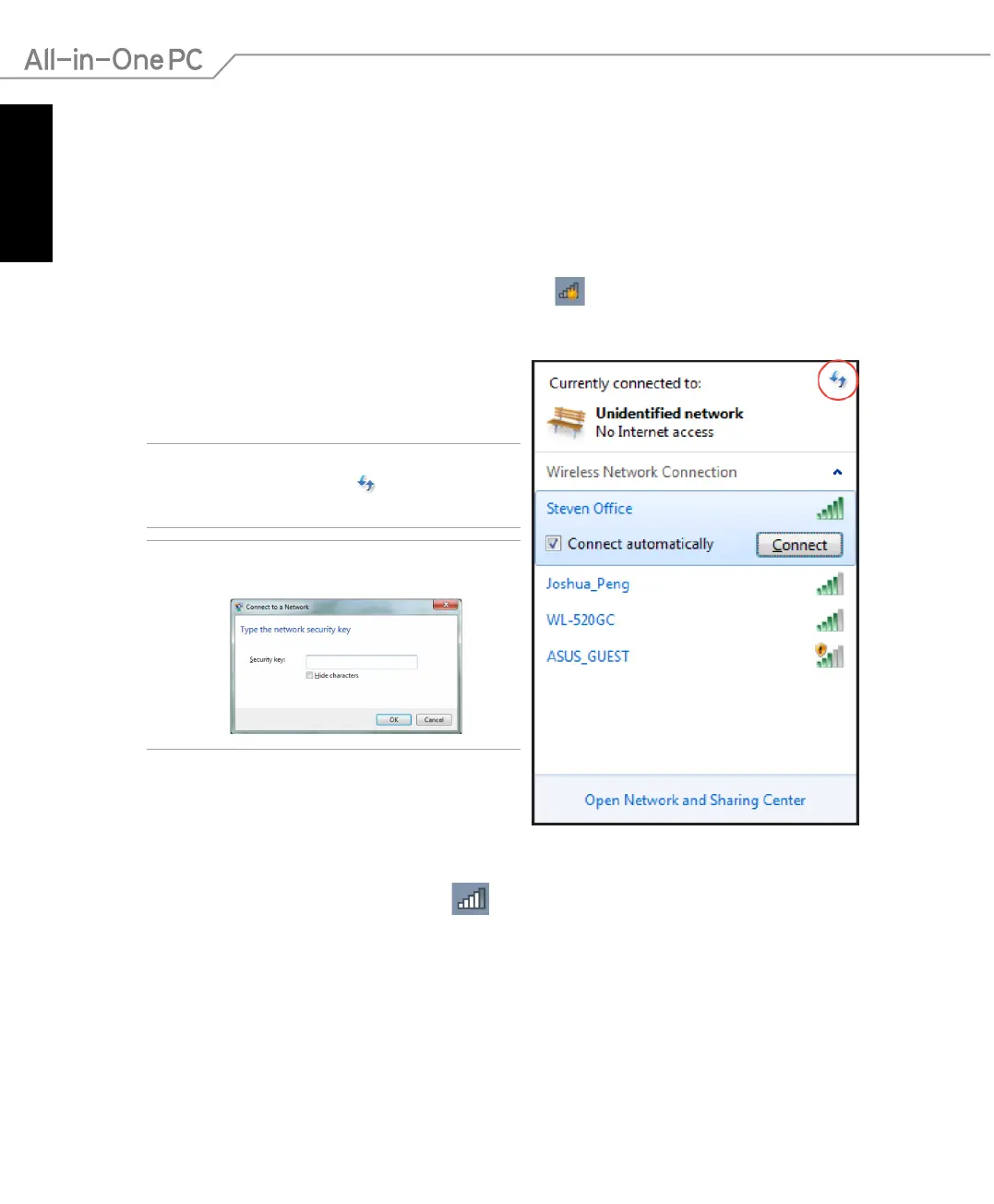
2. Select the wireless access point you want to
connect to from the list and click Connect to
build the connection.
IMPORTANT! If you cannot nd the desired access
point, click the Refresh icon on the upper right
corner to refresh and search in the list again.
NOTE: Enter the network security key when
connecting to a secure network.
3. After a connection has been established, the connection is shown on the list.
4. You can see the wireless network icon
in the Notication area.



 To Next Page