English
53
All-in-One PC ET2020 Series
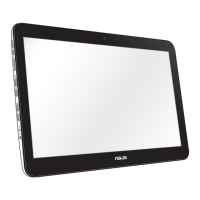
8. Select Connect to the Internet and click Next.
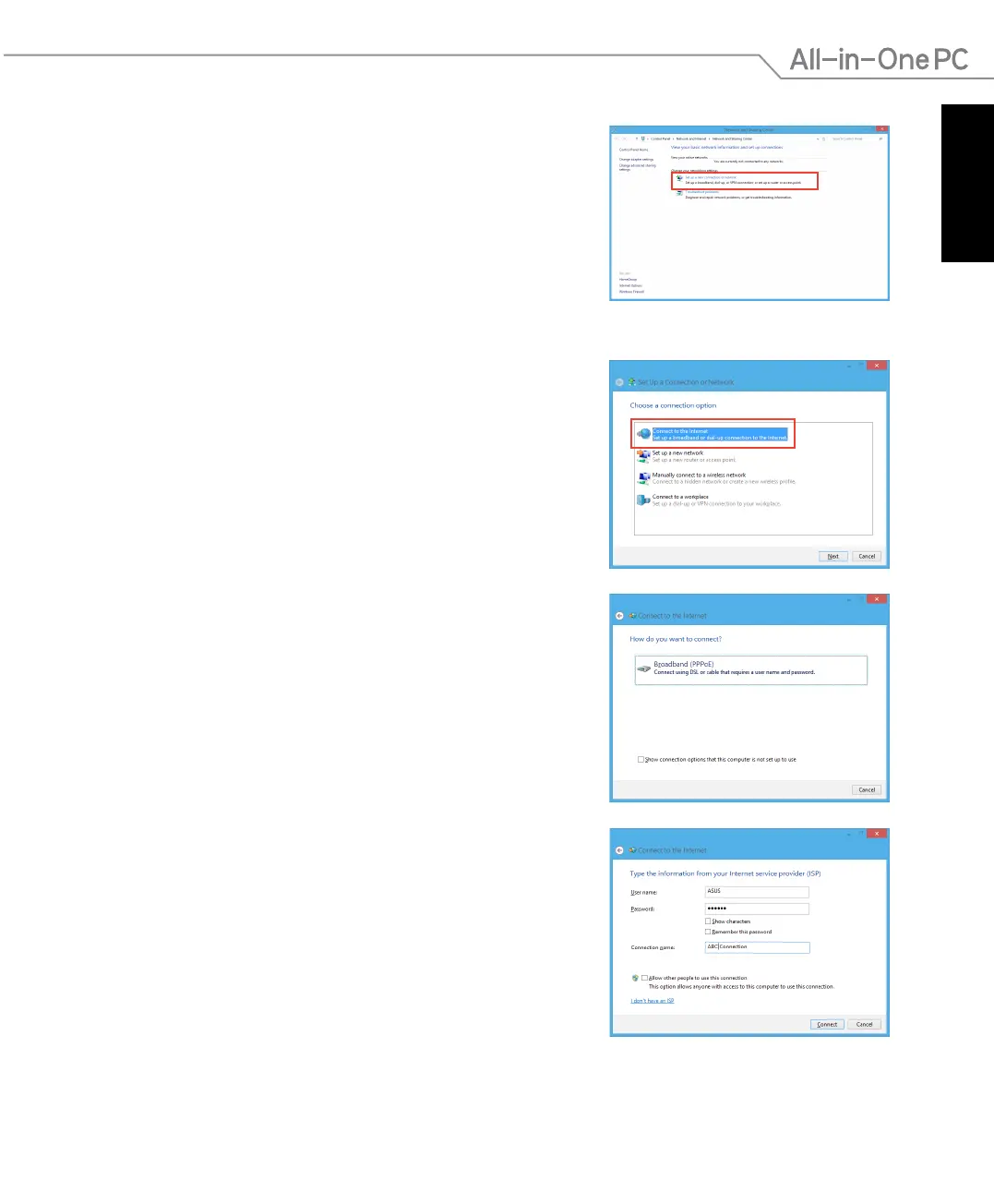
7. Return to the Network and Sharing
Center and then click Set up a new
connection or network.
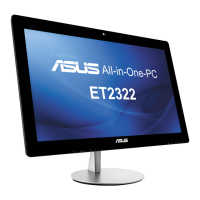
9. Select Broadband (PPPoE) and click Next.
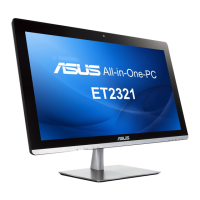
10. Enter your Username, Password, and Connection
name. Click Connect.
11. Click
Close to nish the conguration.
12. Click the network icon in the taskbar and click the
connection you just created.
13. Enter your user name and password. Click
Connect to
connect to the Internet.


 To Next Page