20
Installing a memory card
Your Fonepad supports a microSD™, microSDHC™, and microSDXC™ memory card with up to 64 GB of
capacity.
NOTE: Some memory cards may not be compatible with your Fonepad. Ensure that you use only compatible
memory cards to prevent loss of data, damage to your device, or memory card, or both.
CAUTION!
• Beextracarefulwhenhandlingamemorycard.ASUSisnotresponsibleforanydatalossordamageincurredto
your memory card.
• Donotinsertamicro-SIMcardintothememorycardslot!Ifamicro-SIMcardhappenstobeinsertedintothe
memory card slot, bring your device to an ASUS-qualified service personnel.
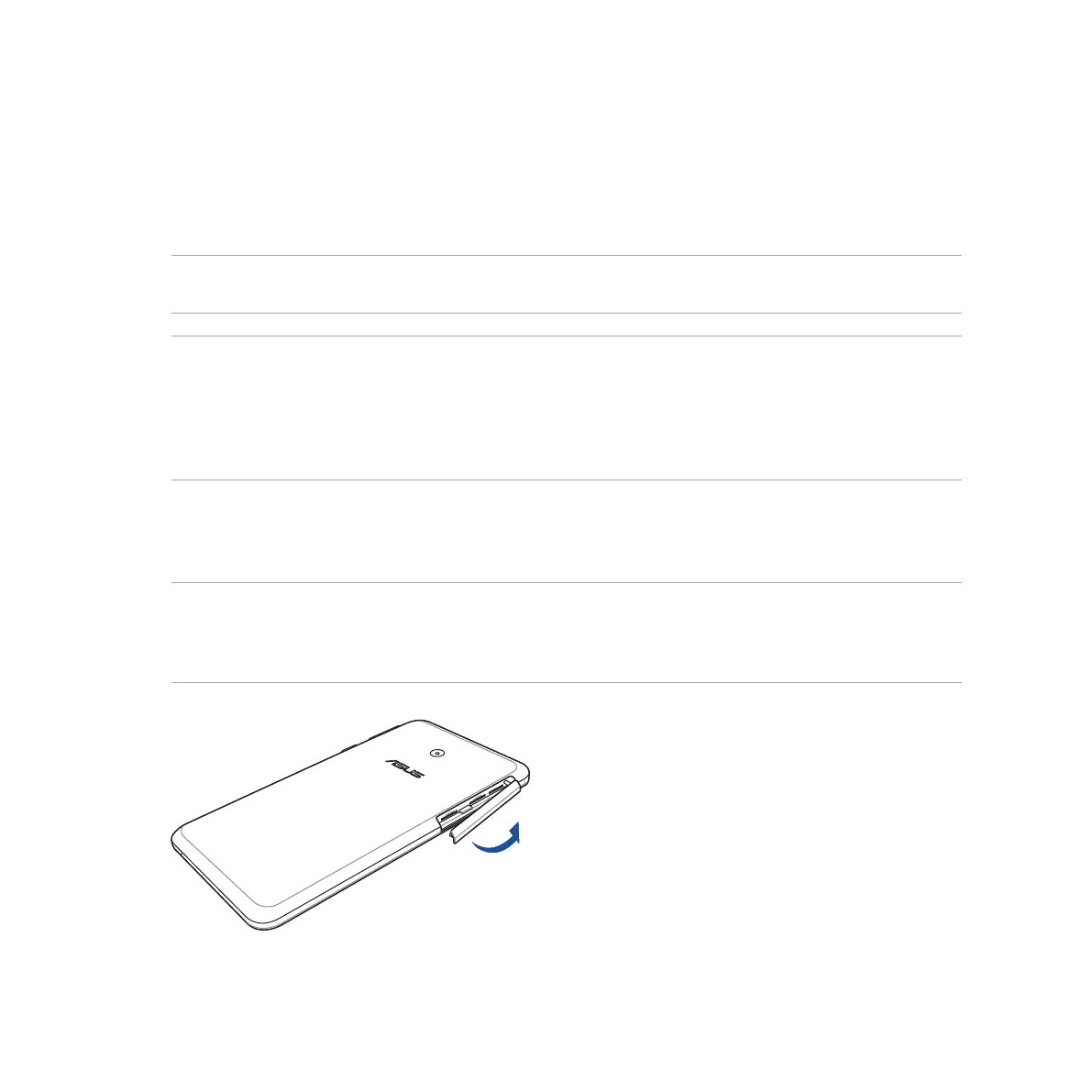
To install a memory card:
1. Orient your device as shown, then open the micro-SIM/memory card compartment.
CAUTION!
• Becarefulnottodamagethecompartmentcoverorinjureyourfingernailswhenyouremovethecover.
• Donotforciblyremove,shear,ordistortthemicro-SIM/memorycardcompartmentcover.



 To Next Page