IRQ assignments for this motherboard
A B C D E F G H
PCIEx16_1 shared – – – – – – –
PCIEx16_2 shared – – – – – – –
PCI_1 – – – shared – – – –
PCI_2 shared – – – – – – –
IntelLANcontroller – – – – shared – – –
EHCI0 – – – – – – – shared
EHCI1 shared – – – – – – –
HDaudio – – – – – – shared –
SATAcontroller0 – – – shared – – – –
SATAcontroller1 – – – shared – – – –
XHCI – – – – – shared – –
I.G.F.X shared – – – – – – –
1.6 Jumpers
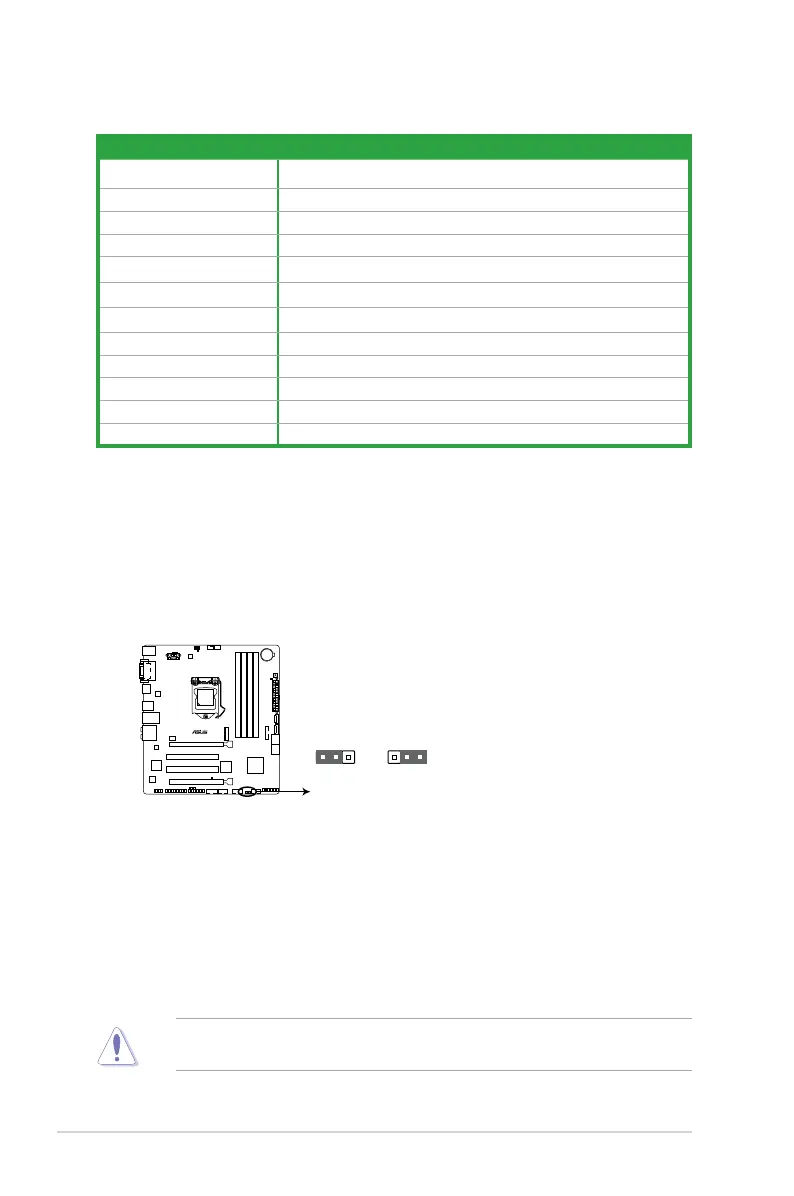
Clear RTC RAM (3-pin CLRTC)
ThisjumperallowsyoutocleartheRealTimeClock(RTC)RAMinCMOS.Youcan
cleartheCMOSmemoryofdate,time,andsystemsetupparametersbyerasingthe
CMOSRTCRAMdata.TheonboardbuttoncellbatterypowerstheRAMdatain
CMOS,whichincludesystemsetupinformationsuchassystempasswords.
To erase the RTC RAM:
1. TurnOFFthecomputerandunplugthepowercord.
2. Movethejumpercapfrompins1-2(default)topins2-3.Keepthecaponpins2-3
forabout5-10seconds,thenmovethecapbacktopins1-2.
3. PlugthepowercordandturnONthecomputer.
4. Holddownthe<Del>keyduringthebootprocessandenterBIOSsetuptore-
enter data.
ExceptwhenclearingtheRTCRAM,neverremovethecaponCLRTCjumperdefault
position.Removingthecapwillcausesystembootfailure!
H97M-PLUS
H97M-PLUS Clear RTC RAM
1
2
2 3
Normal
(Default)
Clear RTC
CLRTC
1-10
Chapter 1: Product introduction



 To Next Page