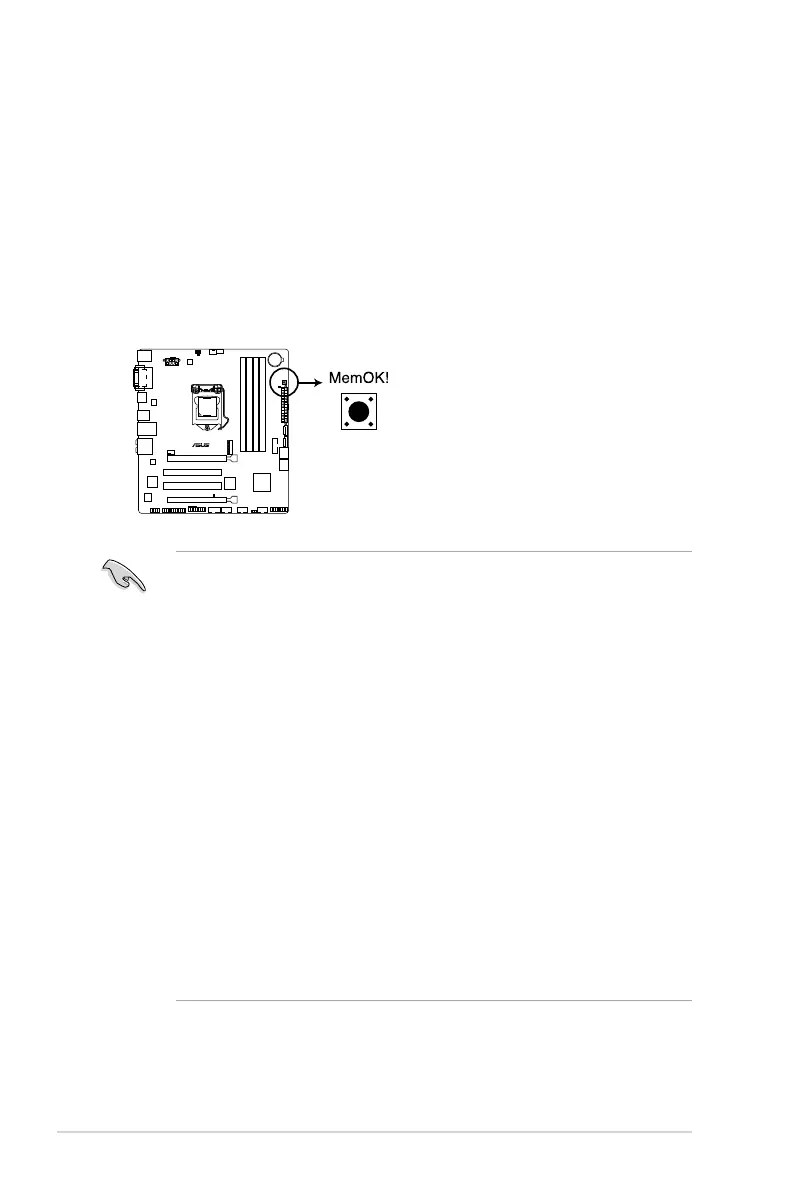
1.8 Onboard switches
Onboardswitchesallowyoutone-tuneperformancewhenworkingonabareoropen-case
system.Thisisidealforoverclockersandgamerswhocontinuallychangesettingsto
enhance system performance.
MemOK! switch
InstallingDIMMsthatareincompatiblewiththemotherboardmaycausesystembootfailure,
andtheDRAM_LEDneartheMemOK!switchlightscontinuously.Pressandholdthe
MemOK!switchuntiltheDRAM_LEDstartsblinkingtobeginautomaticmemorycompatibility
tuning for successful boot.
• Refertosection1.9 Onboard LEDsfortheexactlocationoftheDRAM_LED.
• TheDRAM_LEDalsolightswhentheDIMMisnotproperlyinstalled.Turnoffthe
systemandreinstalltheDIMMbeforeusingtheMemOK!function.
• TheMemOK!switchdoesnotfunctionunderWindows®OSenvironment.
• Duringthetuningprocess,thesystemloadsandtestsfailsafememorysettings.It
takesabout30secondsforthesystemtotestonesetoffailsafesettings.Ifthetest
fails,thesystemrebootsandtestthenextsetoffailsafesettings.Theblinkingspeed
oftheDRAM_LEDincreases,indicatingdifferenttestprocesses.
• Duetomemorytuningrequirement,thesystemautomaticallyrebootswheneach
timingsetistested.IftheinstalledDIMMsstillfailtobootafterthewholetuning
process,theDRAM_LEDlightscontinuously.ReplacetheDIMMswithones
recommendedintheMemoryQVL(QualiedVendorsLists)ontheASUSwebsiteat
www.asus.com.
• IfyouturnoffthecomputerandreplaceDIMMsduringthetuningprocess,thesystem
continuesmemorytuningafterturningonthecomputer.Tostopmemorytuning,turn
offthecomputerandunplugthepowercordforabout5–10seconds.
• IfyoursystemfailtobootduetoBIOSoverclocking,presstheMemOK!switchtoboot
andloadBIOSdefaultsettings.AmessagewillappearduringPOSTremindingyou
thattheBIOShasbeenrestoredtoitsdefaultsettings.
• WerecommendthatyoudownloadandupdatetothelatestBIOSversionfromthe
ASUSwebsiteatwww.asus.comafterusingtheMemOK!function.
H97M-PLUS
H97M-PLUS MemOK! button
1-20
Chapter 1: Product introduction



 To Next Page