3. Intel
®
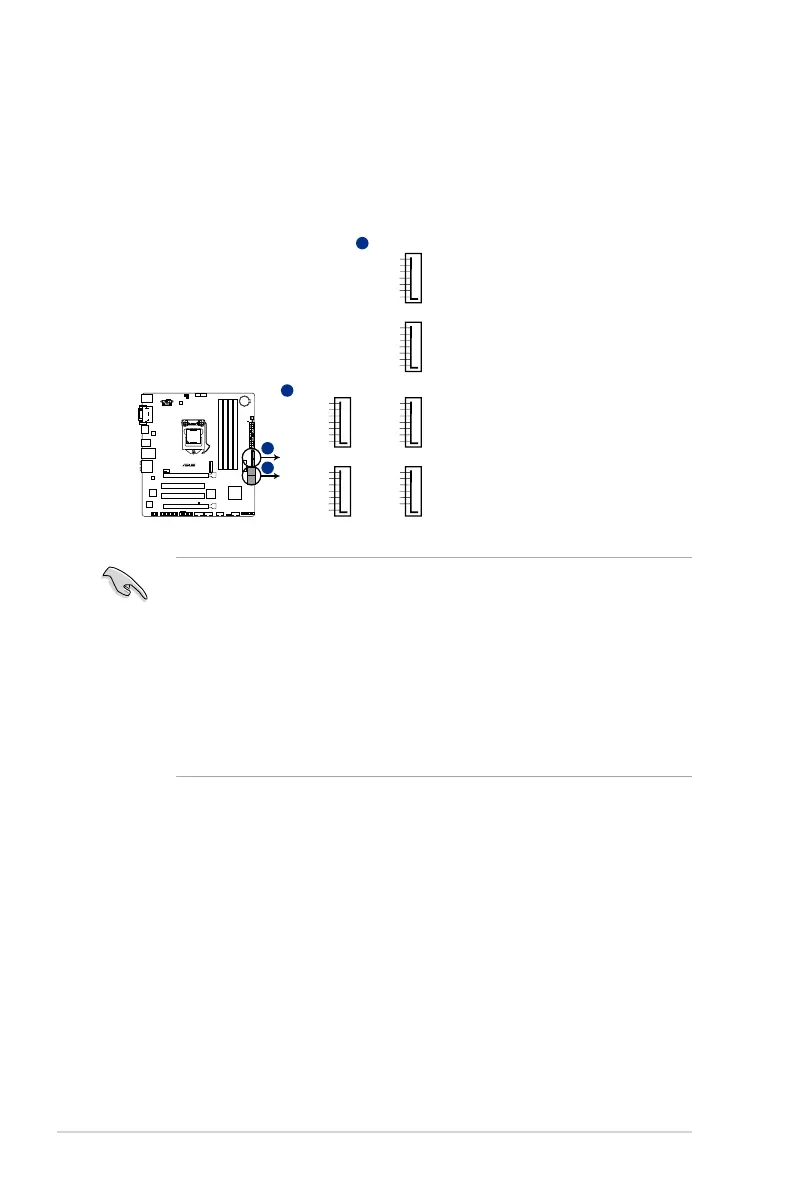
H97 Serial ATA 6.0Gb/s connectors (7-pin SATA6G_1~6)
TheseconnectorsconnecttoSerialATA6.0Gb/sharddiskdrivesviaSerialATA6.0
Gb/ssignalcables.
IfyouinstalledSerialATAharddiskdrives,youcancreateaRAID0,1,5,and10
congurationwiththeIntel
®
RapidStorageTechnologythroughtheonboardIntel
®
H97
chipset.
• Theseconnectorsaresetto[AHCI]bydefault.IfyouintendtocreateaSerialATA
RAIDsetusingtheseconnectors,settheSATA Mode Selection itemintheBIOSto
[RAID].Seesection2.6.3 PCH Storage Configuration for details.
• BeforecreatingaRAIDset,refertotheRAIDSupplementaryGuideincludedinthe
foldernamedManualinthesupportDVD.
• Whenusinghot-plugandNCQ,settheSATA Mode SelectionitemintheBIOSto
[AHCI].
• M.2Socket3sharesbandwidthwithSATA_5/6,ToensurethattheM.2PCIedevice
isworkingproperly,SATAports5and6aredisabled.Refertosection2.6.3 PCH
Storage Configuration of this user guide for more details.
SATA6G_3
GND
RSATA_TXP3
RSATA_TXN3
GND
RSATA_RXN3
RSATA_RXP3
GND
SATA6G_5
GND
RSATA_TXP5
RSATA_TXN5
GND
RSATA_RXN5
RSATA_RXP5
GND
SATA6G_4
GND
RSATA_TXP4
RSATA_TXN4
GND
RSATA_RXN4
RSATA_RXP4
GND
SATA6G_6
GND
RSATA_TXP6
RSATA_TXN6
GND
RSATA_RXN6
RSATA_RXP6
GND
SATA6G_1
GND
RSATA_TXP1
RSATA_TXN1
GND
RSATA_RXN1
RSATA_RXP1
GND
SATA6G_2
GND
RSATA_TXP2
RSATA_TXN2
GND
RSATA_RXN2
RSATA_RXP2
GND
A
B
B
H97M-PLUS
H97M-PLUS SATA 6.0Gb/s connectors
1-14
Chapter 1: Product introduction



 To Next Page