ASUS P5E-VM DO 2-37
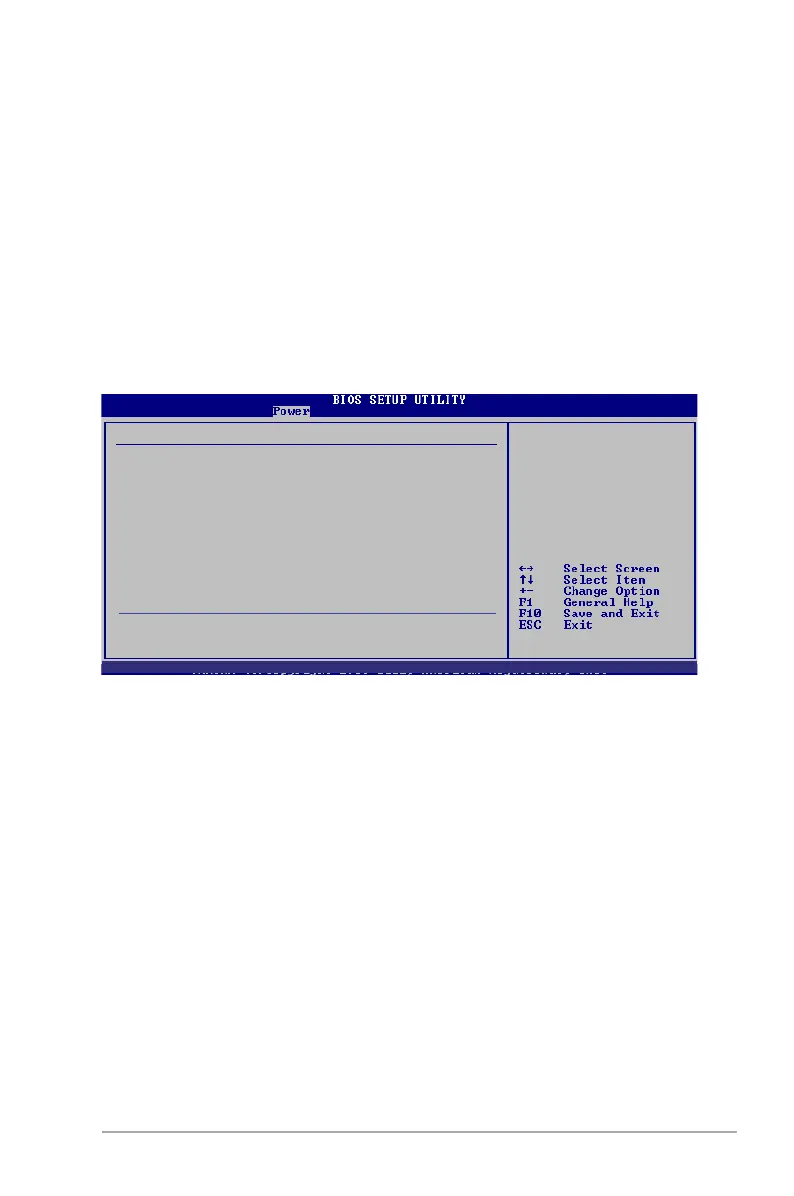
Power On By PS/2 Keyboard [Disabled]
Allows you to use specic keys on the keyboard to turn on the system. This
feature requires an ATX power supply that provides at least 1A on the +5VSB lead.
Conguration options: [Disabled] [Space Bar] [Ctrl-Esc] [Power Key].
Power On By PS/2 Mouse [Disabled]
When set to [Enabled], this parameter allows you to use the PS/2 mouse to turn on
the system. This feature requires an ATX power supply that provides at least 1A on
the +5VSB lead. Conguration options: [Disabled] [Enabled].
2.5.6 Hardware Monitor
CPU Temperature [xxxºC/xxxºF]
MB Temperature [xxxºC/xxxºF]
The onboard hardware monitor automatically detects and displays the motherboard
and CPU temperatures. Select [Ignored] if you do not wish to display the detected
temperatures.
CPU Fan Speed [xxxxRPM] or [Ignored] / [N/A]
The onboard hardware monitor automatically detects and displays the CPU
fan speed in rotations per minute (RPM). If the fan is not connected to the
motherboard, the eld shows N/A.
Chassis Fan Speed [xxxxRPM] or [Ignored] / [N/A]
The onboard hardware monitor automatically detects and displays the chasis
fan speed in rotations per minute (RPM). If the fan is not connected to the
motherboard, the eld shows N/A.
Hardware Monitor
CPU Temperature [51ºC/123.5ºF]
MB Temperature [36ºC/96.5ºF]
CPU Fan Speed [2373RPM]
Chassis Fan Speed [N/A]
VCORE Voltage [ 1.280V]
3.3V Voltage [ 3.232V]
5V Voltage [ 5.136V]
12V Voltage [11.928V]
ASUS Advanced Q-Fan Control
Fan Prole [Silent]
CPU Temperature
v02.58 (C)Copyright 1985-2007, American Megatrends, Inc.




 To Next Page