Service Manual
39
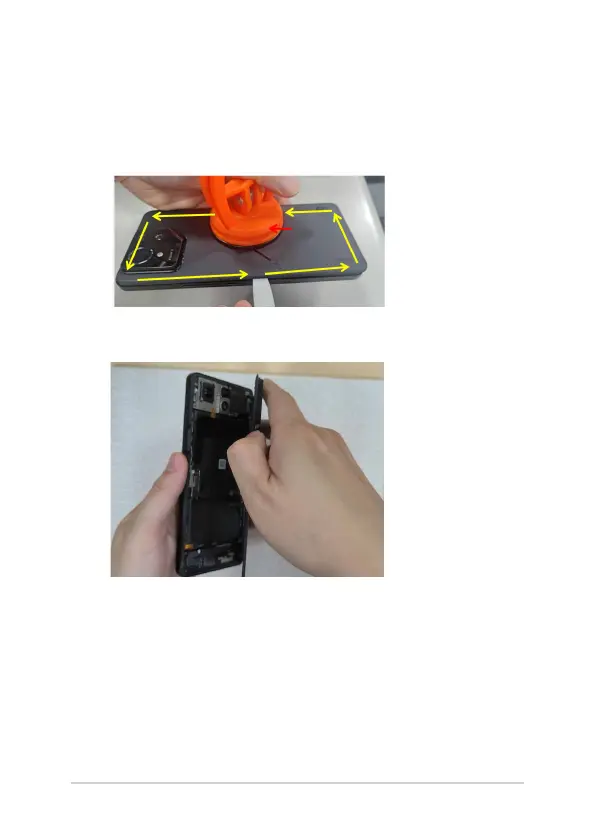
4. Pull a gap between the back cover and the phone using the
suction cup. Insert the prying lever into the gap between the
phone and the back cover. Leave the pick in the gap as a support
and proceed to separate the back cover using another prying
lever with a small amount of alcohol, taking care not to scratch it.
5. Remove the back cover carefully from the side indicated in the
illustration below.















 To Next Page