Service Manual
81
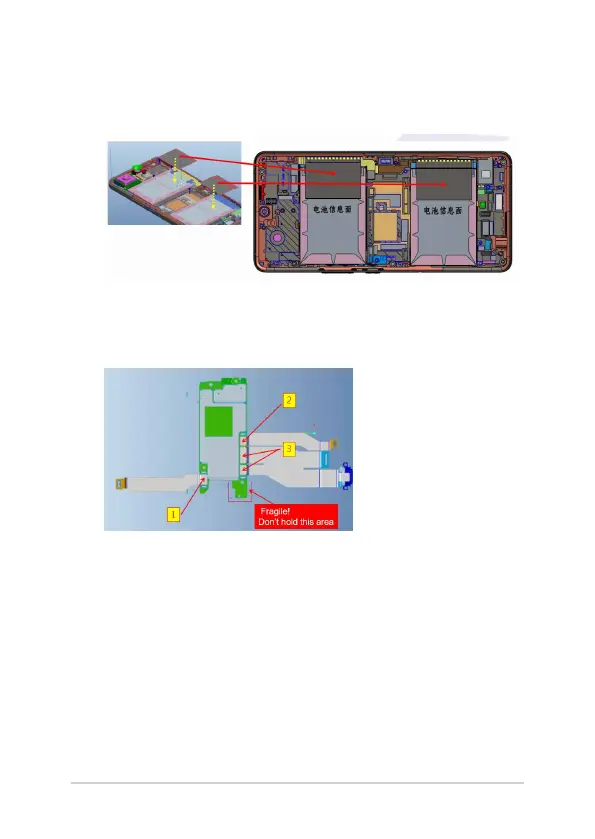
7. Position the battery’s edge (marked by a yellow line) accurately,
and then ax two AI2401 BATPCB GRAPHITE SHEET on top of the
battery.
Installing the motherboard
1. Connect the three FPC to the motherboard and verify that each
connector is well-connected.
1) AI2401_RFB_TO_UP_20P_FPC
2) AI2401_RFB_TO_SUB_24P_FPC
3) AI2401_BOT_USB_FPC















 To Next Page