82
Service Manual
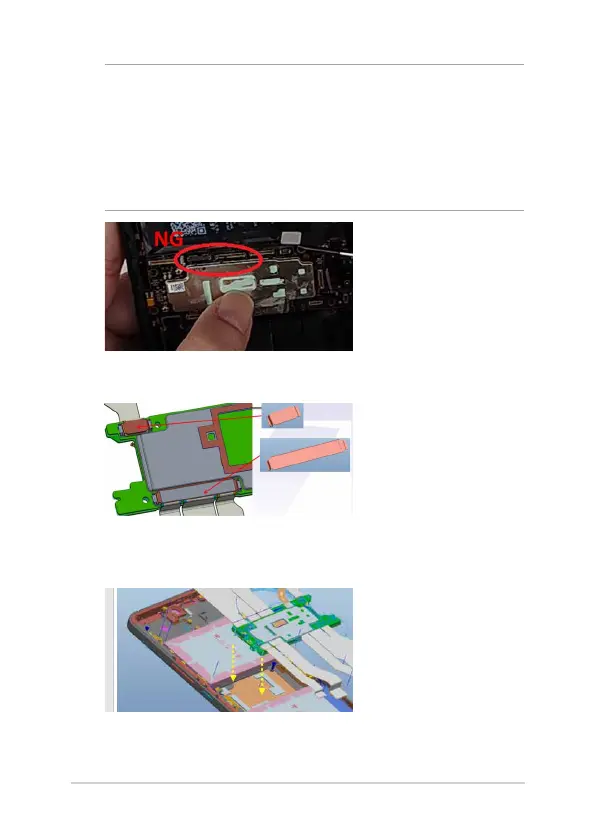
NOTE: ROG8 features double-sided rubber around the motherboard
connector. During reassembly, ensure that there’s no leftover adhesive
within the connector. Presence of tape or adhesive inside the connector
can impair functionality, leading to issues like failure to power on or
lack of display, among others. Should any adhesive residue be found,
gently remove it using tweezers, taking care not to harm the connector.
Alternatively, you can use adhesive removed from the back cover to bind
any residual glue together.
2. Assemble AI2401 20P REINFORCE METAL and MB 3IN1 REINFORCE
METAL.
3. Position the SIDE USB FPC and RF cables around the motherboard
which should not be pressed, then assemble the motherboard to
the front frame.















 To Next Page