Service Manual
83
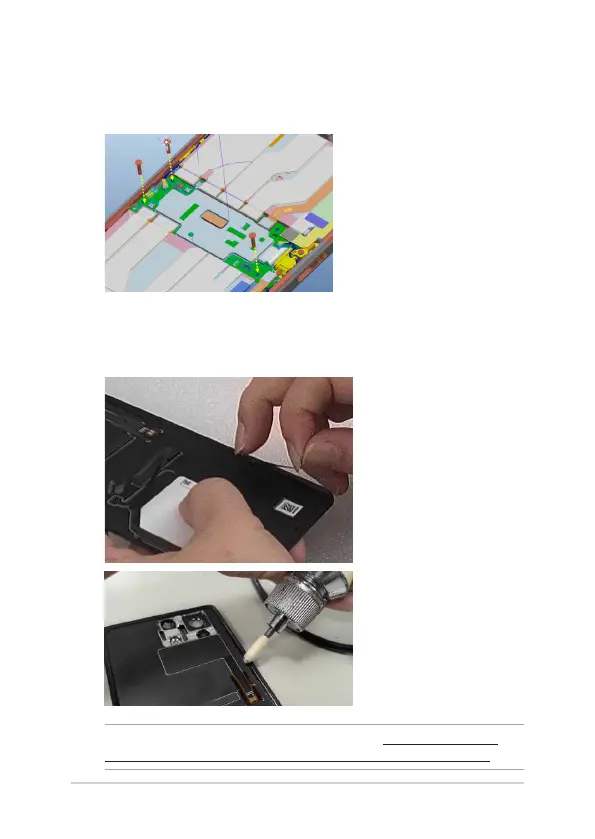
4. Order and temporarily secure three Screw M1.4*4.35L(P/N:13050-
30804209), applying a torque force between 0.45 and 0.55 kgf-cm.
Note that these screws will need to be removed and replaced with
the nal screws later in the assembly process.
Installing the back cover
1. Clean up all the residual adhesive on the back cover and the front
frame.
NOTE: Refer to the tutorial for more information: https://sip.asus.com/
document/DisplayDocument.aspx?folder_type=PUB&doc_id=225177.















 To Next Page