92
Service Manual
Audio calibration
To carry out audio calibration:
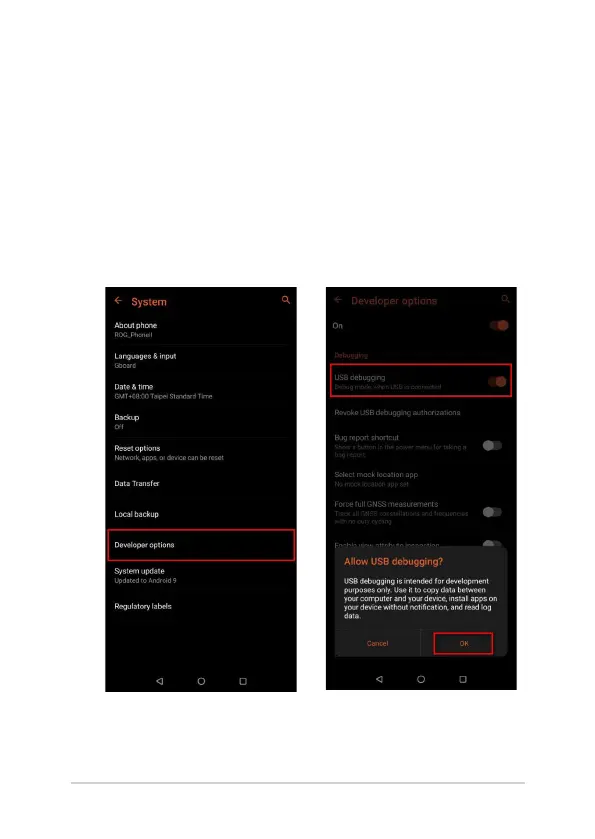
1. Enable the USB debugging:
Go to Settings > System > About Phone > Software
information > Build number and tap it 7 times to become a
developer, then from the System menu, go to Developer Options
and enable USB Debugging.















 To Next Page