7
Chapter 1: Knowing your wireless router RT-N13
• Install the device in a central area to provide ideal coverage for all wireless
mobile devices.
• Install the device at least 20cms from a person to insure that the product is
operated in accordance with the RF Guidelines for Human Exposure adopted
by the Federal Communications Commission.
Hardware features
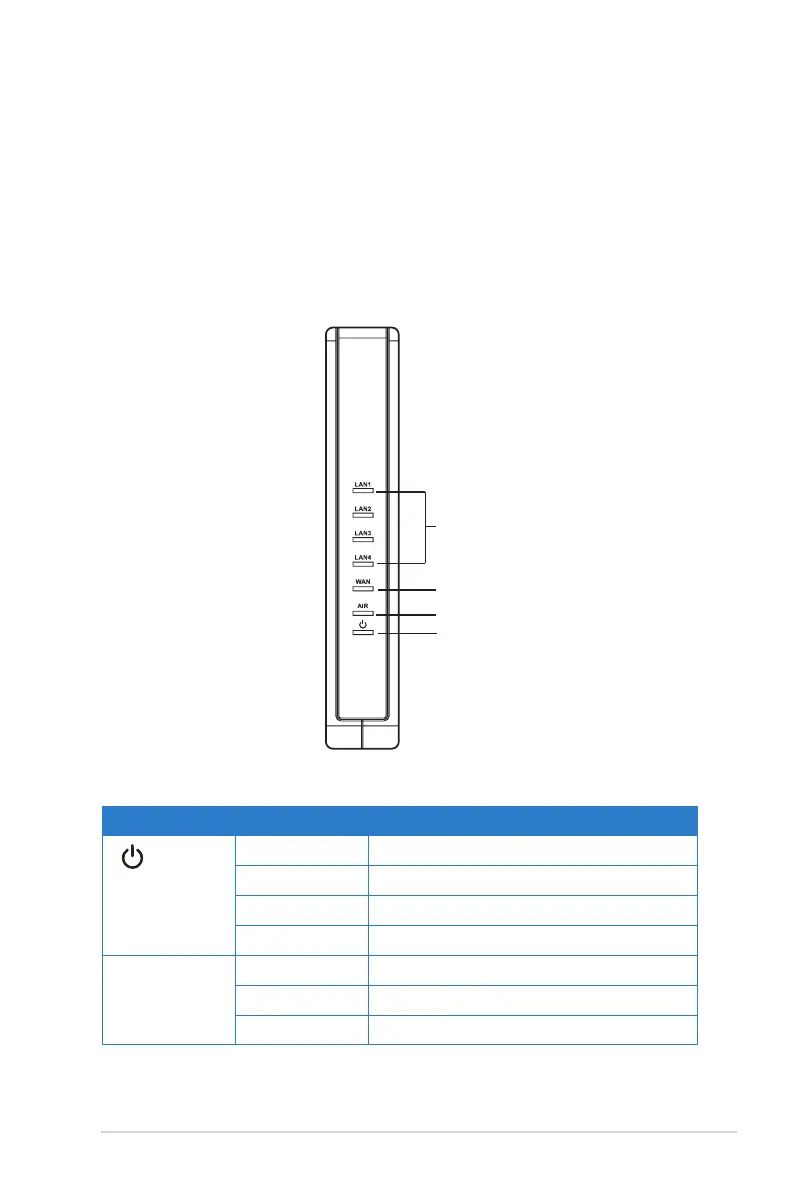
Front panel
PWR
AIR
WAN
LAN
Status indicators
LED Status Indication
(Power)
Off No power
On System ready
Flashing-slow Firmware upgrade failed
Flashing-quick WPS processing
AIR (Wireless
Network)
Off No power
On Wireless system ready
Flashing Transmitting or receiving data (wireless)



 To Next Page