28
Using AiDisk for an FTP Server and Network
Neighborhood setup
AiDisk allows you to set up an FTP server and share the content
of a USB disk to the clients in your network.
NOTE: Before using AiDisk, ensure that you have inserted a
USB disk into the USB port of your wireless router.
To use AiDisk:
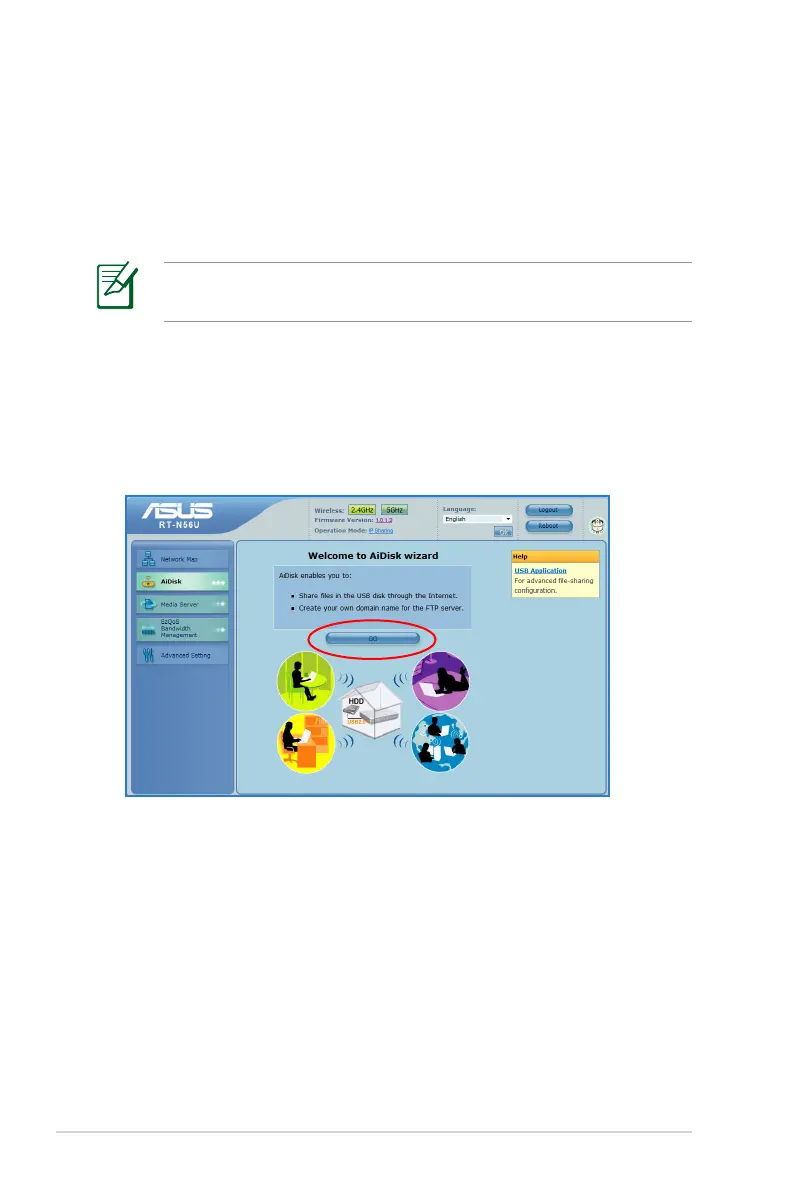
1. Click AiDisk from the navigation menu at the left side of
your screen.
2. From the Welcome to AiDisk wizard screen, click Go.



 To Next Page