33
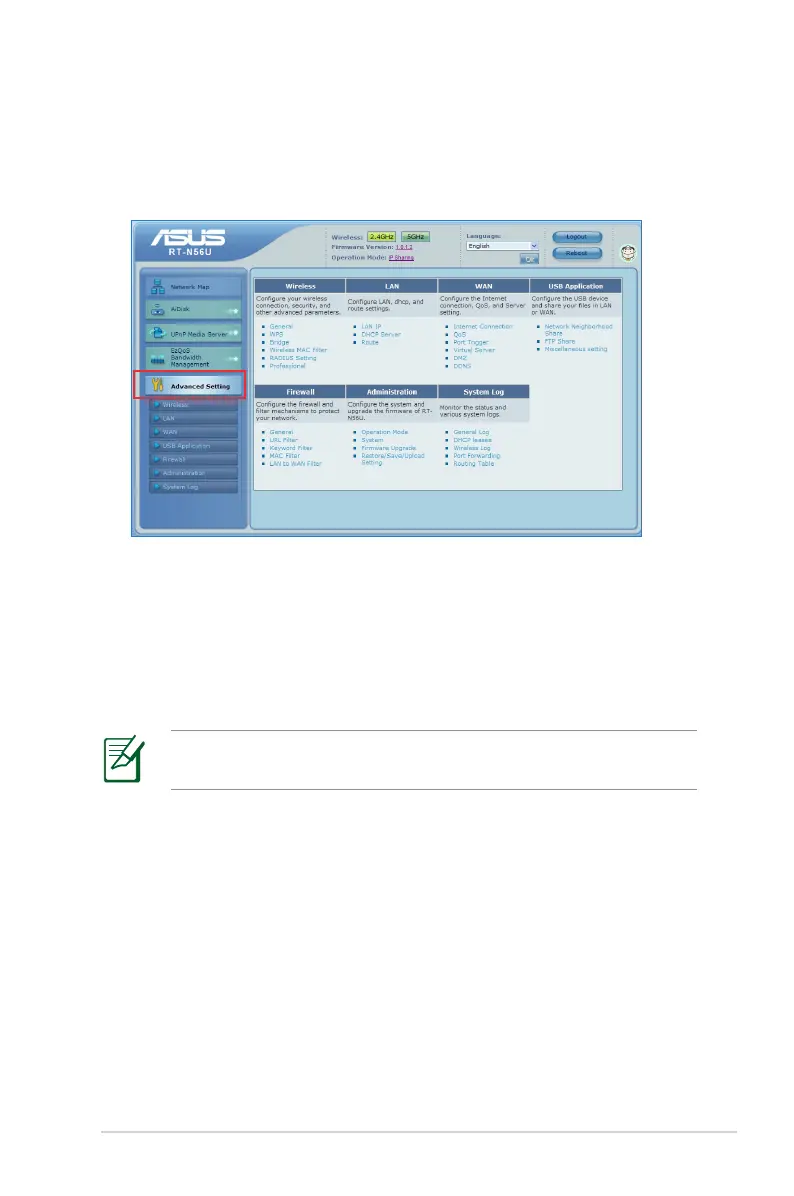
Configuring the Advanced settings
Advanced Setting allows you to configure the advanced features
of your wireless router.
Setting up the DHCP Server
You may enable the DHCP Server function in your wireless
router so your network clients can automatically obtain IP
addresses from your wireless router.
NOTE: The ASUS Wireless Router can support up to 253 IP
addresses for your network.
To set up the DHCP server:
1. Click Advanced Setting from the navigation menu at the
left side of your screen.
2. Under the LAN menu, click DHCP Server.



 To Next Page