48
NOTE: This is not a firmware upgrade utility and cannot be
used on a working ASUS Wireless Router. Normal firmware
upgrades must be done through the web interface. Refer to
Chapter 3: Configuring via the web GUI for more details.
Download Master
Download Master is a utility that allows you to organize your
HTTP, FTP, and BT (BitTorrent) download tasks.
Using the Download Master
NOTE: To use this feature, you need to plug a USB storage
device, such as a USB hard disk or USB flash drive, to the USB
2.0 port on the rear panel of your wireless router. Ensure that
the USB storage device is formatted and partitioned properly.
Refer to the ASUS website at http://www.asus.com for the
HD file system support table.
To use the Download Master:
1. Launch the Download Master from Start > All Programs
> ASUS Utility > RT-N56U Wireless Router > Download
Master.
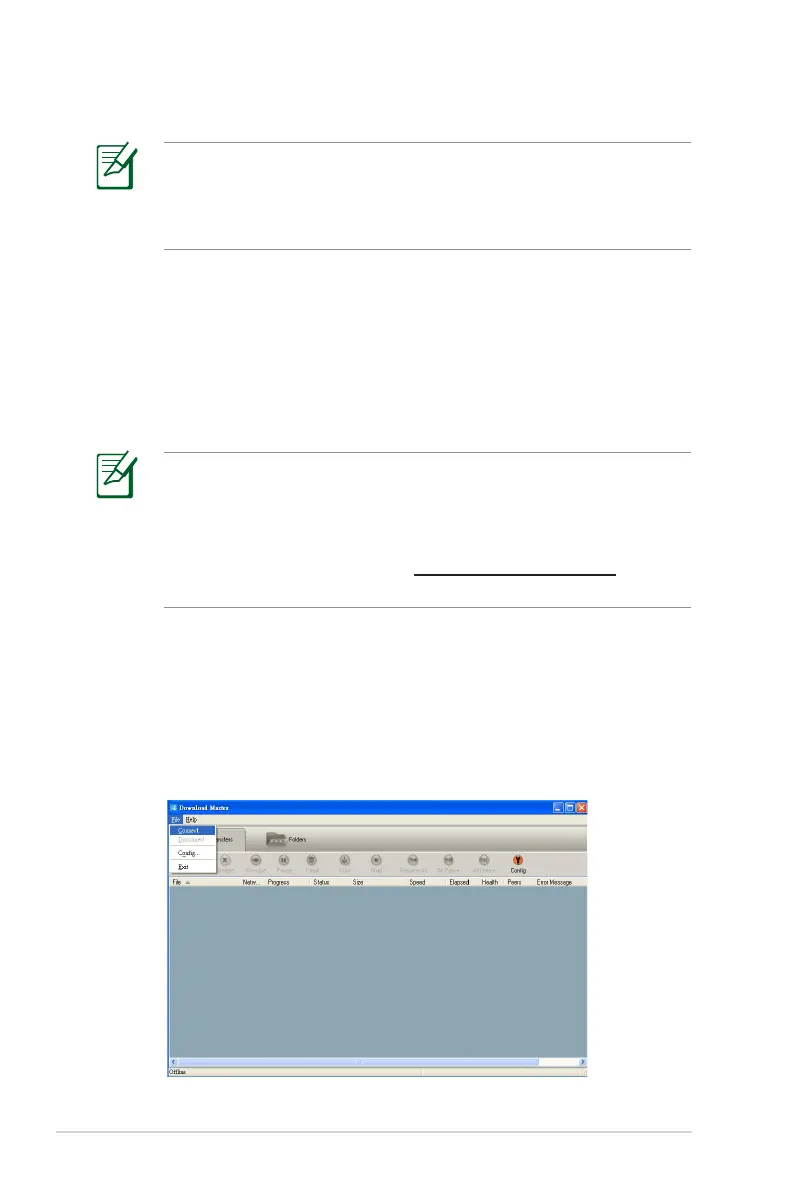
2. Click File > Connect to connect to the wireless router.
5. Specify a firmware file, then click Upload.



 To Next Page