37
Sharing files from a USB storage device
Creating a user account
You need to create user accounts before you can share the files
or data in the USB storage device.
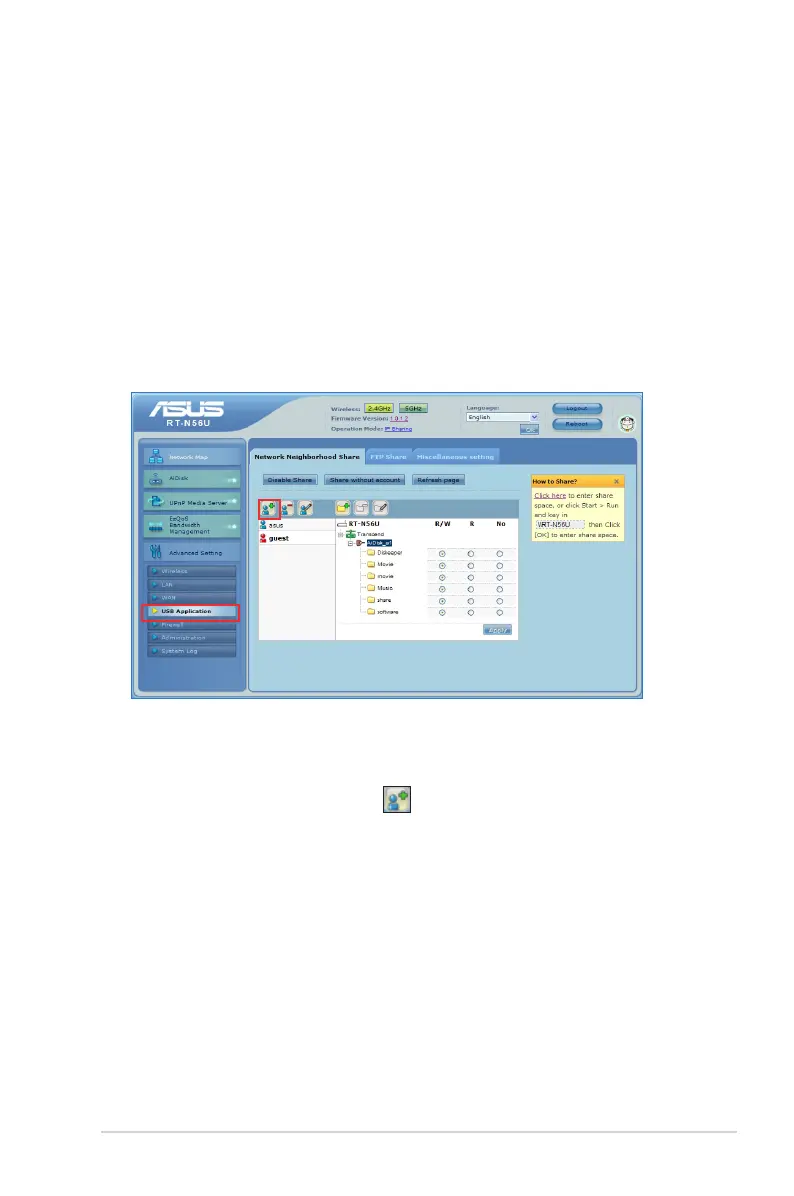
To create a user account:
1. Click Advanced Setting > USB Application from the
navigation menu at the left side of your screen.
2. Click Share with account, and click OK to enable the
sharing feature.
3. Click the Add account icon .



 To Next Page